Showing posts with label Dreamweaver8. Show all posts

Wednesday, November 22, 2006

Playpen #7 - Flickr API

With my new-found ability to consume RSS (and by inference, any XML), my next challenge was to combine that with Playpen # 2 - Lightbox JS and the Flickr API and see what fun I could have.

Firstly, I logged into Flickr and found a suitable photo set of mine to play with, taking note of the setID. Browsing the API documentation, I found the API Explorer page very useful. It gives you some handy values straight away, such as your userID, plus recent photoIDs, setIDs and contactIDs.

If you put the SetID in the form on the Explorer page, and call the method (I used an unsigned call, since I was only interested in displaying pictures, not writing details or uploading), the XML file for your photo set is returned, along with the all-important URL you can use to call the method from your web page.

Whilst I didn't actually need to save this generated XML file, I did find it useful to see exactly what was what in terms of the schema - sometimes seeing an actual value tells you an awful lot more than just seeing the name of an element or attribute.

I then used Dreamweaver8 to generate a new XSL fragment file, which calls the aforementioned URL as its source. This gives you a display of the XML schema in the bindings panel. You can then drag and drop elements and attributes (relatively) painlessly onto your XSL document:
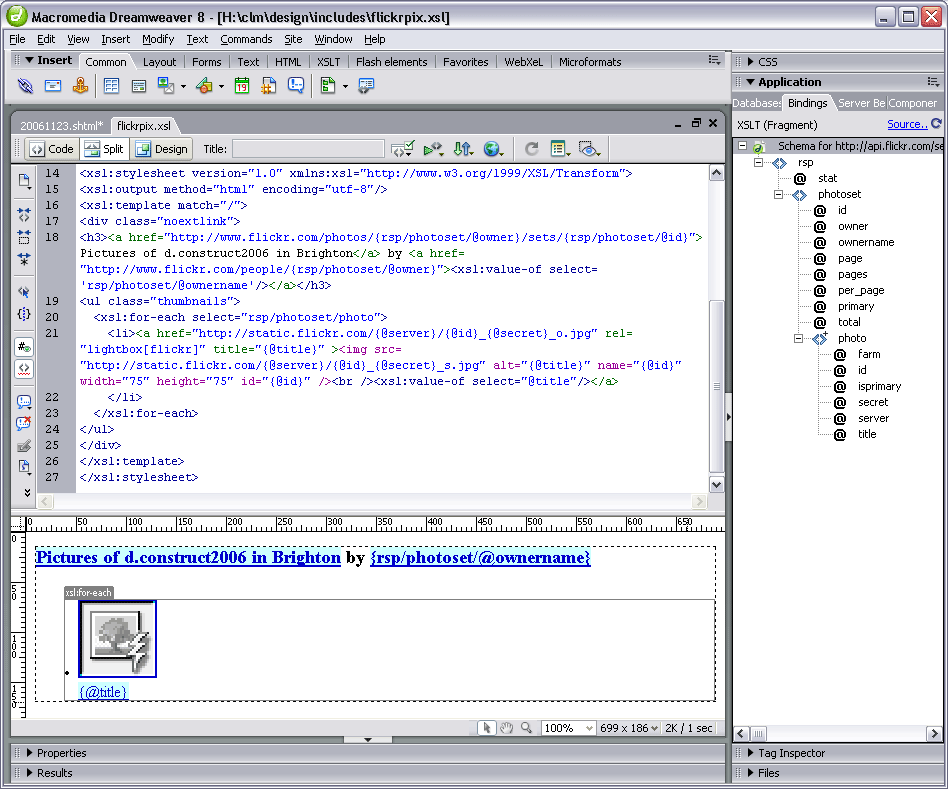
The nuts and bolts of my stylesheet are as follows:

<xsl:stylesheet version="1.0" xmlns:xsl="http://www.w3.org/1999/XSL/Transform">
<xsl:output method="html" encoding="utf-8"/>
<xsl:template match="/">
<h3>
<a href="http://www.flickr.com/photos/{rsp/photoset/@owner}/sets/
{rsp/photoset/@id}">Pictures of d.construct2006 in Brighton</a>
by <a href="http://www.flickr.com/people/{rsp/photoset/@owner}"><xsl:value-of select='rsp/photoset/@ownername'/></a>
</h3>
<ul class="thumbnails">
<xsl:for-each select="rsp/photoset/photo">
<li><a href="http://static.flickr.com/{@server}/{@id}_{@secret}_o.jpg" title="{@title}" >
<img src="http://static.flickr.com/{@server}/{@id}_{@secret}_s.jpg" alt="{@title}" name="{@id}" width="75" height="75" id="{@id}" />
<br /><xsl:value-of select="@title"/></a></li>
</xsl:for-each>
</ul>
</xsl:template>
</xsl:stylesheet>
The Photo Source URLs page was extremely useful in telling me what paths I needed to construct for the image thumbnails and originals. Even so, I spent a frustrating half hour getting the syntax right. I learned the hard way that copy/paste in the code view doesn't always get you the right path - but if you drag an attribute from the bindings panel onto the design view of the file (not the code view), the path is sorted out for you!

Basically, I was mistakenly adding:
{rsp/photoset/photo/@attribute}
instead of just {@attribute}, in the loop, and nothing showed up. But the overall title bit worked fine - because this was outside the loop, and did require the rest of the path to parse correctly. Argh!

With a bit of CSS styling, the photoset is displayed nicely in Playpen #7. Clicking the title or thumbnail then brings up the LightboxJS function to display the original image from Flickr, with it's title and prev/next links to the other pictures in the set.


RSS - Consumer Indegestion

As well as problems generating my own RSS feeds, I've been banging my head against the Adobe brick wall as far as consuming RSS is concerned.

Dreamweaver8 is my weapon of choice for development (so shoot me), and I tried a few months ago to get the BBC's Rugby Union RSS feed added to my rugbypix.com page. Adobe have a tutorial which explains a lot. Trouble was, I did everything they said, and on my localhost test environment, I kept getting an error message:

MM_XSLTransform error:
"http://newsrss.bbc.co.uk/rss/sportonline_uk_edition/rugby_union/rss.xml" is not a valid XML document.
The underlying connection was closed: Unable to connect to the remote server.
The claim that it wasn't a valid XML document was obviously rubbish, since the BBC's feed works in all the feed readers I've tried! Googling for the error didn't produce anything sensible, so I shelved the project and put it on the back burner for a while.

Returning to it this afternoon, I tried uploading the XSL fragment (which does the data repeat for the feed) and the page in which the transformation is called, onto my live server. I got a different message - the MM_XSLTransform.cs file was missing - progress! I knew that on my previous attempts, the only transform I could find available was the MM_XSLTransform.vb file, which was the wrong server model for my site.

Another quick google for the C# transform got me to this page. And, voilà! a link to download the missing MM_XSLTransform.cs. Bung it in the includes/MM_XSLTransform/ folder and upload it to the site, and Bob's your uncle... BBC Sport Rugby Union feed at rugbypix.com

Great, another niggling problem ticked off my list!

Sunday, October 22, 2006

Microformats Extension for Dreamweaver8

Having downloaded Brian Suda's Microformat Cheat Sheet, I had been methodically adding XFN and hCard info to previous blog posts by messing under the hood in split/code view. All very tedious. As I added similar stuff for the nth time, I was just thinking, "wouldn't it be nice if some clever type had written a DW extension to do this..."

No sooner thought, than found - more or less by accident, I've just discovered the Microformats Extension for Dreamweaver8 at the WaSP website. Now it really is a no-brainer to add Microformats to any page.

After installing the extension, you get the Microformats tab appear at the end of the Insert Bar:

Microformats Insert bar for Dreamweaver 8
The first icon gives you the hCal dialogue box:

hCal dialogueFill it in, and lo! and behold, you get the relevent hCal code in your page:

<div class="vevent">
<a class="url" href="http://www.mypub.com">
<abbr
class="dtstart" title="20070101T1200"> January 01, 2007 - 12:00 </abbr> - <abbr class="dtend" title="20070101T2344"> 23:44 </abbr> - <span class="summary"> My Birthday </span> - at <span lass="location"> down the pub </span> </a>
<div class="description"> Let's meet for a few New Year drinks! </div>
</div>

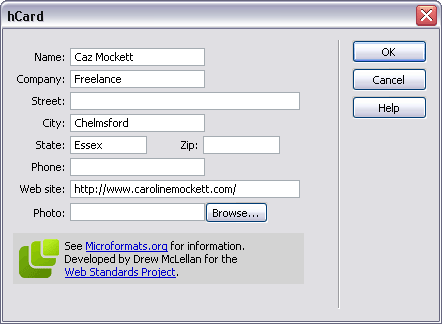
Next up is the icon for hCard, and pushing the button gives us:

hCard dialogueWhich produces:
<div class="vcard"> <a class="url fn" href="http://www.carolinemockett.com/">Caz Mockett</a>
<div class="org">Freelance</div>
<div class="adr"> <span class="locality">Chelmsford</span>, <span class="region">Essex</span> </div>
</div>

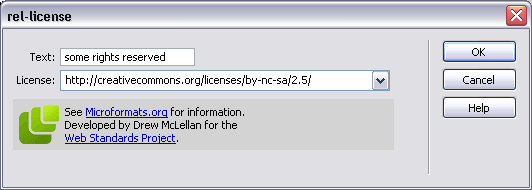
The third icon is for the rel-licence attribute:

rel-licence dialoguegiving the very simple
<a href="http://creativecommons.org/licenses/by-nc-sa/2.5/" rel="license">some rights reserved</a>
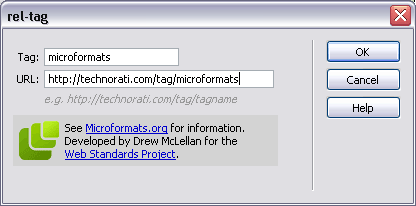
The little "luggage tag" icon gives us the rel-tag dialogue (of course):

rel-tag dialoguewhich gives us
<span class="technoratitag">
<a href="http://technorati.com/tag/microformats" rel="tag">microformats</a> </span>
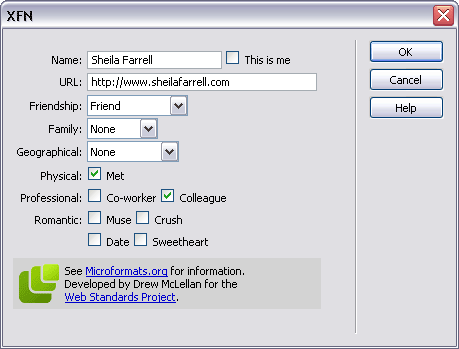
Finally, the dizzy-looking heads icon is for the XFN widget, which really is very neat indeed:

XFN dialogue
giving us this little code snippet:
<a href="http://www.sheilafarrell.com" rel="met colleague friend">Sheila Farrell</a>
Fab. All of a sudden, my life has become easier. Drew, you're a genius!


Friday, August 04, 2006

A Little Light Reading

If you're thinking of dipping your toes into the standards compliance/css development pond (come on in, the water's fine!), and you aren't able to afford some of the swanky courses available out there, a good alternative is to read some books by well-respected practitioners in the field, at least to get you started.

Here's a small selection which I've read recently, and have found to be extremely useful. I'll try to add to the list on an ongoing basis, so you might like to come back and check it again later.

I no particular order (other than the order I've read them in!):


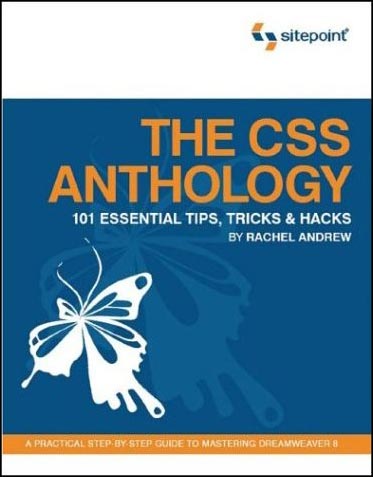
  • The CSS Anthology
    - Rachel Andrew, pub Sitepoint
    Excellent all-round introduction to using stylesheets for layout and positioning, with practical real-world examples. Good for people relatively new to CSS - I knew how to change fonts etc but was pretty green regarding CSS for layout until I'd read this and digested it thorougly.

  • Build Your Own Standards Compliant Website Using Dreamweaver 8 - Rachel Andrew, Sitepoint
    Invaluable for pointers on getting the most out of Dreamweaver 8 and making sure your code validates nicely, is properly semantic and doesn't suffer from coad bloat. Good chapter on layout of forms without tables.

  • Dreamweaver 8 Unleashed - Zak Ruvalcaba, SAMS
    A big, thick wedge of a book (I've actually read most of it but not quite all yet). Excellent advice on using Dreamweaver for dynamic projects. Gives code and method examples for ASP, ASP.NET and PHP server models, which is great as some books limit themselves to one flavour. I currently do most of my dynamic projects with ASP.NET, but in future I'll be getting to grips with some PHP too, so it's great not to have to buy another book right from the start.

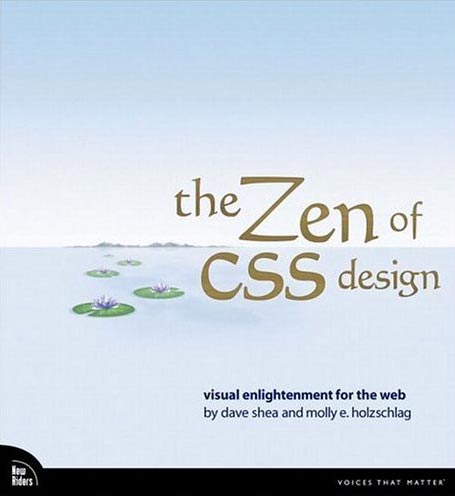
  • The Zen of CSS Design
    - Dave Shea & Molly E. Holzschlag, New Riders
    The book of the website. Dave and Molly take a few of the excellent examples from the CSS Zen Garden site, and deconstruct them, with explanations about each technique explained along with copious screenshots (full colour). Yes, you can look at the site directly and try and work out what the stylesheets are doing, but that's pretty hard if you are a novice, and these succinct explanations are a great help in developing your understanding of how to apply the theory to real-world examples.

  • DOM Scripting (Web Design with JavaScript and the Document Object Model) - Jeremy Keith, Friends of ED
    A great introduction to the scary world of JavaScript for anyone who is thinking about delving into unobtrusive JavaScript which can add progressive enhancements to your site, whilst degrading gracefully if a browser does not support JavaScript (or has it turned off).

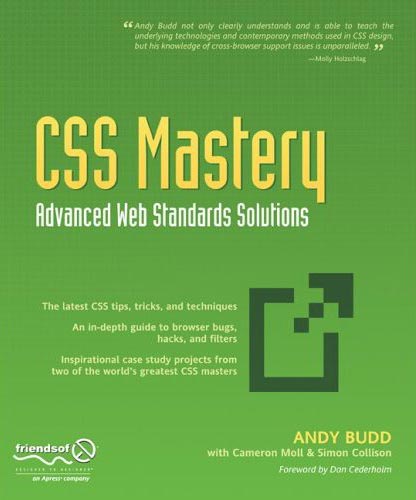
  • CSS Mastery, Advanced Web Standards Solutions - Andy Budd, Friends of ED
    Definitely not for beginners, but takes the examples and techniques to the next level for people who have some experience with coding standards-compliant (X)HTML/CSS. Two chapters at the end, written by Cameron Moll and Simon Collison, bring together lots of the techniques described earlier in the design of two case studies.
That's it for now, although I have a big fat PHP book sitting on the pile to read. I'll add more when I've had time to digest that.

Thursday, June 15, 2006

Introduction

I thought it would be useful for me to start a professionally-based blog rather than polluting my Rugybmadgirl blog with stuff about XHTML, CSS and web technologies, which is for entirely different audiences. So here goes...

I'm a web designer and developer with 10 years experience of coding sites - I started with Notepad back in '96 and have progressed quite a lot since then! My current weapons of choice are:

  • Dreamweaver8 - Macrodobe's latest offering (I've been using DW since version 4) which has much better support for CSS layout, XHTML and .Net than its predecessors
  • PhotoshopCS - essential for graphics preparation and photographic retouching
  • Firefox 1.5 with various plugins, notably:
  1. Web Developer Toolbar - turn off css or javascript at the flick of your mouse, outline block level elements, debug scripts, and heaps more.
  2. Tidy HTML validator - great as it runs on your localhost and immediately validates any page directly in the browser. Especially useful if you are developing offline or for intranet apps when you can't get the W3C validator to play ball - its the same validation engine
  3. IE Tab - allows you to open tab in Firefox which uses the IE rendering engine - dead handy if you have a pathalogical fear of using Internet Explorer :-)
  4. Foxytunes - for keeping you supplied with music, this plugin gives you all the basic controls over your media player of choice in the status bar of the browser, and takes up much less task-bar real estate than the minimized Media Player
  • XHTML - usually 1.0 transitional, but sometimes 1.0 strict. Essential if you want to improve your standards-compliance and accessibility for your content
  • ASP.NET - I have developed a few sites driven by .net, and have found it to be resonably easy to get to grips with. Examples are:
  1. www.cazphoto.co.uk - an online portfolio site for my general photography
  2. www.rugbypix.com - specialising in my rugby photography
  3. www.johnflood.co.uk - electronic publishing for John Flood, professor of Law & Sociology
  • Access2000 - so far, the sites I have developed have not needed the extra scalability required by mySQL or SQL Server, but I do intend to build sites with mySQL in the future.
I'm also looking to develop my PHP skills in the near future.