Showing posts with label standards. Show all posts

Friday, August 04, 2006

A Little Light Reading

If you're thinking of dipping your toes into the standards compliance/css development pond (come on in, the water's fine!), and you aren't able to afford some of the swanky courses available out there, a good alternative is to read some books by well-respected practitioners in the field, at least to get you started.

Here's a small selection which I've read recently, and have found to be extremely useful. I'll try to add to the list on an ongoing basis, so you might like to come back and check it again later.

I no particular order (other than the order I've read them in!):


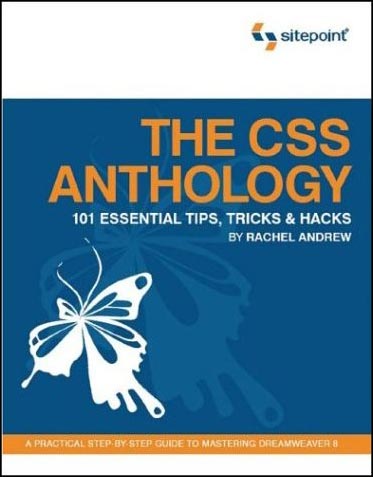
  • The CSS Anthology
    - Rachel Andrew, pub Sitepoint
    Excellent all-round introduction to using stylesheets for layout and positioning, with practical real-world examples. Good for people relatively new to CSS - I knew how to change fonts etc but was pretty green regarding CSS for layout until I'd read this and digested it thorougly.

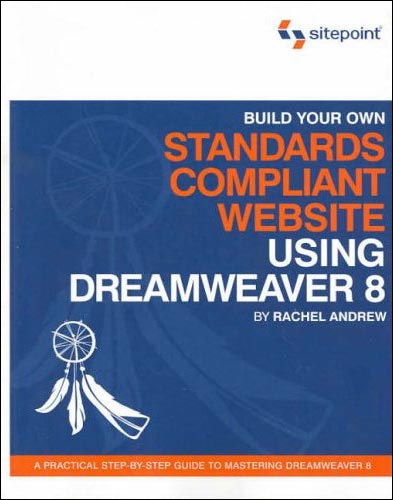
  • Build Your Own Standards Compliant Website Using Dreamweaver 8 - Rachel Andrew, Sitepoint
    Invaluable for pointers on getting the most out of Dreamweaver 8 and making sure your code validates nicely, is properly semantic and doesn't suffer from coad bloat. Good chapter on layout of forms without tables.

  • Dreamweaver 8 Unleashed - Zak Ruvalcaba, SAMS
    A big, thick wedge of a book (I've actually read most of it but not quite all yet). Excellent advice on using Dreamweaver for dynamic projects. Gives code and method examples for ASP, ASP.NET and PHP server models, which is great as some books limit themselves to one flavour. I currently do most of my dynamic projects with ASP.NET, but in future I'll be getting to grips with some PHP too, so it's great not to have to buy another book right from the start.

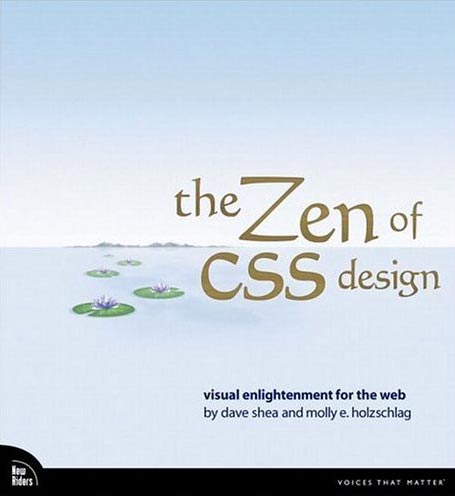
  • The Zen of CSS Design
    - Dave Shea & Molly E. Holzschlag, New Riders
    The book of the website. Dave and Molly take a few of the excellent examples from the CSS Zen Garden site, and deconstruct them, with explanations about each technique explained along with copious screenshots (full colour). Yes, you can look at the site directly and try and work out what the stylesheets are doing, but that's pretty hard if you are a novice, and these succinct explanations are a great help in developing your understanding of how to apply the theory to real-world examples.
  • DOM Scripting (Web Design with JavaScript and the Document Object Model) - Jeremy Keith, Friends of ED
    A great introduction to the scary world of JavaScript for anyone who is thinking about delving into unobtrusive JavaScript which can add progressive enhancements to your site, whilst degrading gracefully if a browser does not support JavaScript (or has it turned off).

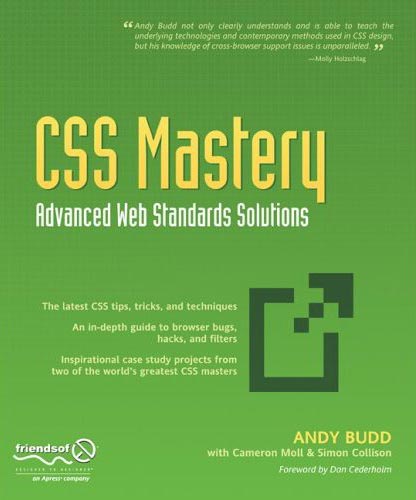
  • CSS Mastery, Advanced Web Standards Solutions - Andy Budd, Friends of ED
    Definitely not for beginners, but takes the examples and techniques to the next level for people who have some experience with coding standards-compliant (X)HTML/CSS. Two chapters at the end, written by Cameron Moll and Simon Collison, bring together lots of the techniques described earlier in the design of two case studies.
That's it for now, although I have a big fat PHP book sitting on the pile to read. I'll add more when I've had time to digest that.

Saturday, July 15, 2006

WSG London #1

The first London meeting of the Web Standards Group took place last night in North London, and was well very well attended with 190 people turning up to hear speakers Andy Budd on Who Cares About Standards? and Christian Heilmann speaking about Maintainable JavaScript.

Christian was very animated and went quite quickly, and since JavaScript is not really my forte, unfortunately I found it was easier to just listen than trying to scribble notes as well. His slides are available via his blog. But I was able to take notes during Andy's talk, a precis of which appears below.

Who Cares About Web Standards?
This was the rather controversial opening salvo from Andy! He began by giving us a brief history of standards - not just web, but standards in general. From one of the earliest in 1120 when King Henry I defined the L unit of measure (the length of his arm!) through the inventions of the wooden screw by the Romans, and the subsequent standardisation of screws and other machined parts by Sir Joseph Whitworth in 1841, when the Industrial Revolution was in full flow.

Whitworth was in charge of Babbage's Works where the first mechanical computer, the Difference Engine, was made. By 1860, Whitworth's screws had become the de faco standard, certainly in the UK. Meanwhile in the US, William Sellers proposed a different standard (sounds familiar?!) to help build the railroads. This was all fine until towards the end of the second World War, when the US was supplying England with a lot of spares for machinery and the war effort - and they were having to make two version of everything. Eventually the UK capitulated and the US standard became the very first official standard for anything. Now there are over 800,000.

Why bother?
When implemented, standards should:

  • Ease communications and inter-operability. Buy a new DVD player and plug it into your TV and it should work.
  • Make life easier. You can buy a toaster safe in the knowledge that its plug will fit the sockets in your walls.
  • Be a measure of quality, or level of expertise, a mark of professionalism.
  • Ensure safety and durability.
There are different types of "standard" - Official, de facto, (non regulated but ubiquitous), open, proprietory. When standards work well, you tend not to think about them.

What's this got to do with the web?
During the Browser Wars, the languages such as HTML and CSS were produced and expanded by the browser manufacturers. By pushing their own "standards" they set out to monopolise. When the W3C came together and put together language recommendations (they are still not standards!), and developers put pressure on the browser manufacturers to support them coherently. All modern browsers support the W3C recommendations - some just do it better than others! The term "web standards" was coined by Jeffrey Zeldman and the WaSP project.

The Philosophy Behind "Web Standards"
The aim is to separate content from presentation and behaviour, using (X)HTML, CSS and JavaScript in the appropriate fashion to produce quality code and semantically correct documents.

Benefits
  • Communication - easier to hand over to other developers (or come back to yourself in six months' time)
  • Inter-operability - more accessible, forwards-compatible, multiple device support for phones, PDAs, text readers, microformats etc
  • Make life easier - code can be more easily maintained
  • Safety & durability - code less likely to "break" and should last longer
  • Guarantees a level of expertise - proves you are resonably proficient as a developer and should help eradicate the FrontPage Cowboys ;-)
  • Mark of professionalism - you will stand out from the crowd
Things Aren't Perfect
Standards-complient pages not necessarily load up faster - the number of packet (file) requests can slow things up, so if you have 2 or 3 CSS files associated with a page, there can be a bigger "up front" hit on speed when a visitor first comes to your site, although subsequent pages may well be quicker to load. There is the benefit of less code bloat without all those <table> and <font> tags though.

Huge CSS files can be very difficult to maintain, especially when the full consequences of the cascade are taken into account. Presentation is still tied to content (to a much lesser extent) as the CSS/layout you choose is often influenced by the code order of the document itself. It's much better than it was.

Full CSS Layout is less than ideal at times. Floats are really a buggy hack, but it's the best we've got. Browser implementations for things like <fieldset> and <legend> are still inconsistant (handles padding and margin differently). Advances in XHTML and CSS are beginning to stall. When is CSS3 due? XHTML isn't great for marking up applications as opposed to static documents, or for microformats.

Are standards becoming irrelevent?
Almost reached a tipping point where "everyone" is doing it - so why should we keep going on about it? Development using the standards should be a no-brainer - why do it any other way? Besides, most clients don't care as long as the job gets done, so just do it that way and don't go overboard in advertising the fact. A couple of lines in your proposal documentation (to the effect that "we will use the appropriate web standards" is sufficient).

What now?
The focus needs to change more towards:
  • Accessibility/Useability
  • User Experience
  • Design
  • Branding
  • Client and user goals
Andy's slides can be downloaded from his website.

Geeky Prize Comeptition!
To tie in with Andy's fixation with screws, here's a little bit of fun...
Despite the US standard for screws taking off after WWII, you can still find a ¼-Whitworth screw/thread in common usage today. I will award a pack of 4 hand-made greeting cards of your choice to the first person who can tell me where.

Oh lord, I've just spotted myself in the audience shots which Christian uploaded to Flickr.

Friday, June 16, 2006

@media, Internationalisation

Presented by Molly E. Holzschlag

Benefits of Internationalisation/Local language version

  • Sales - Users are three times more likely to buy something from a site in their own language.
  • Customer Service - costs drop with translation of manuals etc, as people don't contact Customer Services so much.
  • Increased Revenue - from both of the above factors. Look at your site's stats and see if any one country is hitting the site, then set up a local language version for them (eg one site's revenue rose 8% from a Korean-version of the site
  • Better User Experience - leads to a happier user - always a good thing.
Design & Development Considerations
Try to design and develop the product, application oro document content such that it enables easy localisation for audiences from different cultures, religions or language.
Encourage design & development which removes barriers to local and international access - this process is sometimes referred to as globalisation.

i18n = internationalisation (in the jargon); l10n = localisation (number refers to number of letters left out).

Accessibility with i18n can mean providing the technology for features relating to local standards - such as change of date/time formats, numeral systems, personal names and forms of address.
Separate Content - if you separate out local from global info, it makes it much easier to repurpose for different versions Localisation can also mean the adaption of a product (site) to meet local requirements, or a specific target market. It can also mean specifying prices (for instance) in the local currency, or making allowances for different keyboard usage.

Localisation does NOT just mean Translation!
Semantics can differ hugely from one language to the next, and a straight translation might not convey the right meaning.

Symbols, Icons & Colour
Sensitivity to cultural perceptions, language and visual imagery is a must. What do upright and inverted triangles imply in various cultures?

Web Standards and i18n
Best practices are of course:
Structure
International sites rely on document structure, which requires proper encoding. Use the lang or xml:lang attributes to declare. This give te ability to handle monolingual as well as multilingual documents.
<html lang="en">
<meta equiv="content-language" contents="en"> [check this syntax]
<p>The French word for cat is <em lang="fr">chat</em>
Semantic Elements
Presentational html can wreak havoc for local content - using <i> for italic instead of <em> means Japanese would not understand the context of <i> (no italics) but they would comprehend that <em> meant emphasis. So always use <em> and then use CSS to style it in italics.

Semantic Naming
Advisable to use meaningful naming convention for class and ID selectors.
Choose a name which reflects the element's function not its presentation style as this is unlikely to change in different locales.

The Cross-Cultural Challenge
It can be difficult to understand another culture. For good i18n implementation, you will need a qualified representative (preferably a native) of that culture, who can adequately represent the cultural values of the target market.

Language
Use official and local language for the target market (not neccessarily overlapping with the geographical locale - how many folks in the USA speak Spanish?). Use jargon or slang only where the target market can understand it.

Screen Usage Concerns
Different languages behave differently on screen - the equivalent text for a form label might be twice as long in German as English, for instance => be careful of expansion/collapse of text, and the direction of reading.
Colours and imagery - ideally overlay local text over and image, rather than embedding into the graphic. Some colours/symbols mean different things to different cultures. If in doubt, use Blue (like the BBC!).

Why bother at all?
i18n and l10n can improve exposure and revenue. There are complex issues, but begin it early in the design process, right from the start of development. Inform the W3C if there are problems and issues.

Refs: w3.org/international/ and WaSP (Web Standards Project)