Showing posts with label jeremy keith. Show all posts

Wednesday, December 05, 2007

Lifestream, Yahoo! Pipes and jQuery

Jeremy Keith's lifestream was the first I saw online, where he'd aggregated together his many RSS feeds into one place. It shows the various sources ordered by time, and it can be quite interesting to follow along and see what sort of sources are most prevalent at any one time. I'd been meaning to have a play with something similar myself for some time, but wasn't sure how to go about it. Then a couple of weekends ago, I went to BarCampLondon3 and Cristiano Betta did a great session on how to author your lifestream using Yahoo! Pipes. There's bags more information about how to do it at his blog. Finally, I thought it was about time I had a play with it myself. The feeds I used were the following:

I decided against using my Last.fm feed for the moment, as it would probably swamp all the other inputs (I listen to a lot of music while working, it's one of the perks of working from home, no-one moans about your choice of songs!).

Having got the basic lifestream out of Pipes, I used Dreamweaver's XSLT transform functionality to generate a list which would sit in my ASP.NET page. I wanted to use specific icons to show which feed each item was from. Cristiano was using a JSON output for his pipe, but mine is coming out as RSS, so the custom ID's applied in the pipe weren't getting through, since they're not part of the RSS spec.

CSS3 attribute selectors are one option, but they don't work in clunky browsers like IE6. So having also been at Simon Willison's jQuery session at BarCampLondon3, I thought I'd have a play with with the library to see if I could do some neat DOM manipulation to add the correct class to each list item.

The Llifestream list is marked up thus: <ul id="lifestream">. I added some jQuery to insert the class for the list element, based on the attribute of the link it contains. That requires a parent element to be changed, based on it's child's attributes. Slightly tricky for a jQuery novice like myself. It took me a while but eventually I found the correct syntax:
$(document).ready(function() {
$("#lifestream > li > a[@href^=http://twitter]").parent("li").addClass("twitter");
});
The first line calls jQuery once the full DOM is loaded; line 2 (which looks rather horrible with text wrap, but bear with me) selects an anchor with the attribute which begins with "http://twitter", but I wanted the class added to the parent LI, so hence the chaining of jQuery functions.

Now all I needed to do was to add a case for each link type to my new lifestreamclasses.js file and add a linke to it in the header of my lifestream page, and the proper stylings can be applied. I decided to keep them in a separate JS file for ease of maintenance. Once the pipe has mashed it all together and I've written the relevant styles into the stylesheet, the resulting RSS aggregated feed looks like this.

Wednesday, February 28, 2007

RDF - What's It Good For?

One of the presentations that I missed at BarCampLondon2 (I was attending another session) was a light-hearted debate about the similarities and differences between Microformats and RDF. The main protagonists were:

Thankfully, for those who didn't see the debate, Ian has uploaded a video of the session. It makes interesting viewing! And shortly afterwards, I found Ben Ward's insightful post about the whole subject too. I think Ben's second paragraph hits the nail on the head:
The thing about RDF is that no-one has yet demonstrated any real-world reason to care about it. It fascinates academics who would love — just for the sake of it — to model the entire universe in triples but in the real world of web browsers the value has never really been promoted.
Spot on.

The Microformats advocates have been very quick to explain what they are for, what they do, and how to implement them. I use them regularly in this blog, and try to incorporate them wherever I can into new projects. It's so easy to build them in from scratch when marking up events (hCalendar), people (XFN) or contact details (hCard).

But as yet, I'm really stumped as to what RDF - or more importantly, eRDF can do for me. Tom Morris has started a website called GetSemantic which hopes to chart the progress of developments about eRDF and spread the word. I'll be keeping an eye on it from time to time, to see what's cooking, but until then, I'll be sticking to my diet of Microformats.

Friday, October 20, 2006

WSG London #2 - Microformats

The second London WSG meeting was all about Microformats, something I've been meaning to get to grips with for a while. What are they, and what are they good for? We had three Microformats "Ghosts" to help us understand more about them:

The Ghost of Microformats Past - Mark Norman Francis Esq of Ye Olde Yahoo! Corp. Norman gave us an overview of what Microformats are for, and why they have evolved:
  • They should be there for humans first and machines second
  • They are a way of encoding data
  • Start simply, and re-use building blocks from other standards
  • They are modular and embeddable
  • And most importantly, they should attach extra (explicit) meaning to (implicit) content.

One of the first Microformats to evolve was the XFN standard in 2003. In its simplest form, this adds the "rel" tag to an anchor link (for a person's blog, say), where you can specify your relationship to them. See my other post on XFN for more info.

In 2004, the Creative Commons Licences took off, and the rel="licence" tag was added to the Microformats arsenal, eg: Creative Commons, <a href="http://creativecommons.org/licenses/by-nc-sa/2.5/" rel="licence">some rights reserved</a>

A lot of sites have invisible meta data hidden in their pages, but which might as well be invisible - visitors can't see it, and content authors often forget to update it. Norm's phrase was out of site/sight, out of mind. If a human can't see it, the metadata might as well not be there.

He briefly discussed why using XML namespaces was considered harmful. They are not well supported, even in modern browsers, and are antisocial (giving rise to the namespaces Tower of Babel).

But on 20th June 2005, http://microformats.org was unleashed on the web community. In 15 months, there has been a huge adoption of them, basically because they are simple, sensible and extensible. Most popular have been the hCard and hCal formats, along with the rel-licence, rel-tag and afforementioned XFN.

Out in the wild, heavyweights such as WordPress, Yahoo!, Google, Technorati have adopted microformats. With a very small tweak to one of their PHP templates, Yahoo Local have suddenly made 15m new hCards available on the web!

Next up was The Ghost of Microformats Present, Mr Jeremy Keith of Clearleft

Jeremy started out by reminding us that the (X)HTML specs do not have specific tags for semantic items such as contact details, relationships, events or reviews, and with the addition of a little bit of extra markup (mainly attributes to existing elements), we can explicitly specify these things in existing markup.

  • Elemental Microformats
    • the rel attribute:
      <link href="mystyle.css" rel="stylesheet" type="text/css" />
      In this case, the rel atribute defines the relationship of the linked resource to the current document (something that had never really occurred to me until the blindingly obvious was pointed out!) Similarly, <a rel="help" href="help.html">Help page</a> might explicitly define a help document for the page containing the link.
      <a rel="tag" href="http://en.wikipedia.org/Microformats">Microformats </a>
      tells us that the link is also a tag.
      He also mentioned rel-licence and XFN as above.
    • the rev attribute:
      Less well known and trickier to get your hear round, the rev attribute defines the reverse relationship to "rel". So in the above example, on the help.html page, you might find a link thus: <a rev="help" href="checkout.html">the checkout page</a> which would say, the current page is the help resource for the checkout page.
    • the vote-for/against attribute:
      You might include a link to someone else's blog, which expresses an opion (be it negative or positive) which you agree with. Then use:
      <a rel="vote-for" href="review.html">a damning critique</a>. The rel="vote-against" is of course, the opposite (you disagree with the opinion, whether it is positive or negative)
  • Compound Microformats
    These add more than one attribute - usually classes - to elements. We mustn't forget that classes are for general purpose processing by user agents - NOT just for CSS - and should add extra semantic meaning to a document. He cited the hCard example for contact details on a blog:
    <address class="vcard">
    <a href="http://joebloggs.com/blog" class="url org">
    Joe's Blog</a> is the online home of
    <a href="mailto:me@jobloggs.com" class="email
    fn">Joe Bloggs</a>, a <span class="title">web
    developer</span> living and working in <span class="adr">
    <span class="locality">London</span>,
    <span class="country-name">England</span>
    </span>.
    </address>

Other things we need to consider are tools for creating and viewing Microformats. The hCard-O-Matic will give you a head start on writing an hCard for contact details, as will the hCal-O-Matic for events. Brian Suda's Microformat Cheat Sheet should also be a must if you're needing a quick reference guide.

On the discovery end of things, the Tails extension for Firefox is great for finding microformats on a page. For those folks not running Firefox, John Hicks has written a client-side stylesheet to highlight microformats, and he's updated it already. Tantek's microformats favelets let you copy hCard or hCal information into your address book or calendar. And Technorati have started to index microformats too!

Jeremy has kindly put his slides together as a PDF - but they're never as much fun as seeing them delivered "live" ;-)

Finally, a taste of things to come? The Ghost of Microformats Future, aka Drew McLellan , also of Yahoo! Europe, and a member of WaSP

Drew immediately got everyone's attention by asking, could using Microformats on your current site effectively replace your API? He demonstrated numerous instances where complex calls to APIs could be supplanted with the relevent microformat codes in the page, and pretty much showed us what they could become given enough widespread adoption. You cane see Drew's slides online, as I didn't have time to scribble all the fiddly bits of code he demonstrated.

One site which has no API but is littered with useful microformats is corkd.com. You can extract contact info or reviews at will, if you have the right plugin widgets.

Drew also drew our attention to some useful tools:

Brian Suda's X2V transformer - takes XHTML hCal/hCard and munches them into vCard/iCalendar files. Then there's Drew's new tools.microformatic.com site.

Questions and answers were welcomed by our Three Musketeers. Yahoo! memory sticks were given out as goodies to anyone who asked a question. One interesting question that stuck in my mind was asking if there were any microformats for mobile? Jeremy quipped that they are smaller than that, and there's more information on picoformats at the microformats wiki.

A very long post; wrapping up I'll say we all enjoyed a beer with the other geeks in the pub afterwards! Thanks to Stuart for organising the meet. He's already put up the podcast feed from the event. I'm looking forward to the next one, whenever that comes round.

Friday, September 08, 2006

d.construct, The Joy of API

A presentation by Jeremy Keith of Clear:Left.

Jeremy was very enthusiastic about the fun he's had meddling with APIs. He started off by explaining little about REST. I thought, "oh, no, something else I don't know about" but it turns out that REST is pretty much what the "normal" web is all about:

REpresentational State Transfer

  • The application state and functionality is devided into resources
  • Every resource is uniquely addressable. With HTTP, this is done via a URL.
  • It's a stateless client/server protocol: in HTTP, each message contains all the information necessary to understand the request when combined with the state at the resource.

Huh? Well, that more or less describes bog-standard web stuff: links, images, pages etc.

Then there's SOAP, Simple Object Access Protocol

Jeremy compared the APIs for four major sites which he has experimented with, and rated them for power, documentation (help) and his measure, "joy" of use. The results were as follows:

  • Flickr: power=9; docs=8; "joy"=9
  • Amazon: power=8; docs=8; "joy"=8
  • Delicious: power=6; docs=6; "joy"=6
  • Upcoming: power=6; docs=6; "joy"=6
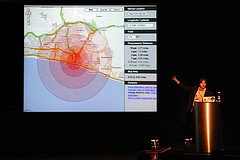
Maps often seem to be the most popular API for experiementation. Mashing mapping with other data feeds gives excellent geo-tagged information. What happens if you drop a 100KT bomb on the Corn Exchange, Brighton? Enquiring minds want to know...

[Mashed - that's what most of Brighton would be if you dropped a 100KT bomb on the Corn Exchange]

The oft-cited Chicagocrime.org site, a prime example of mapping + other stats, was actually written before the GoogleMaps API was released! Sounds like hard work. Other geo-tagged fun sites included:

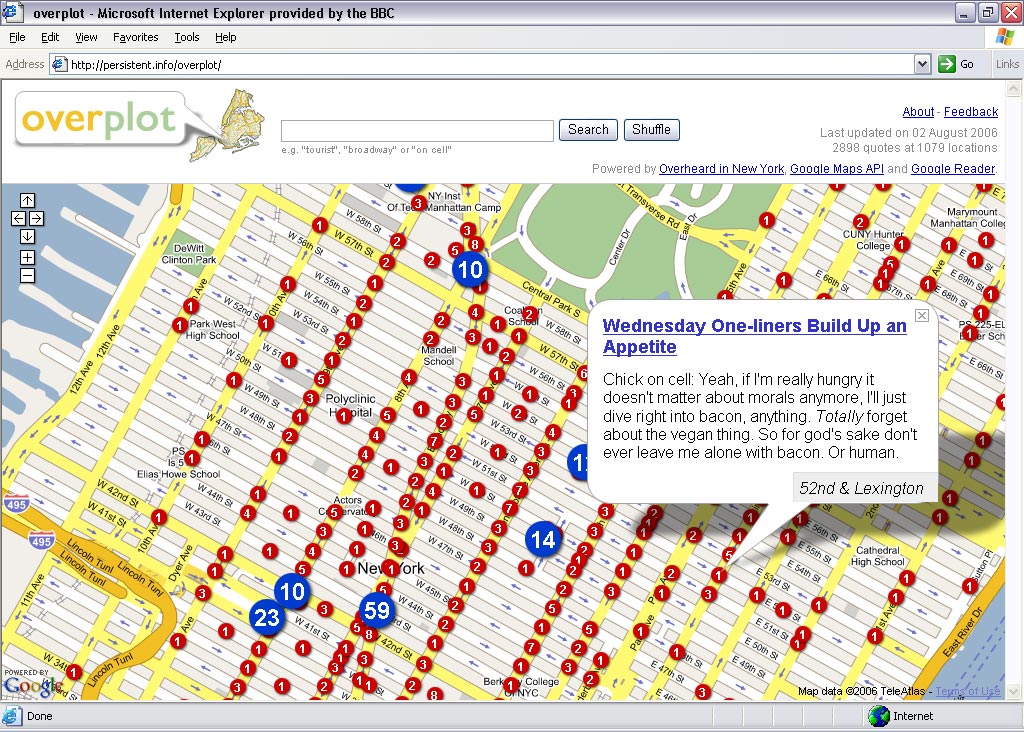
Overheard in New York + Google Maps = Overplot

[take care on 52nd and Lexington - watch out for the cannibal vegan!]

Gawker + Google Maps = GawkerStalker

[where are all the celebs to be found in NY?]

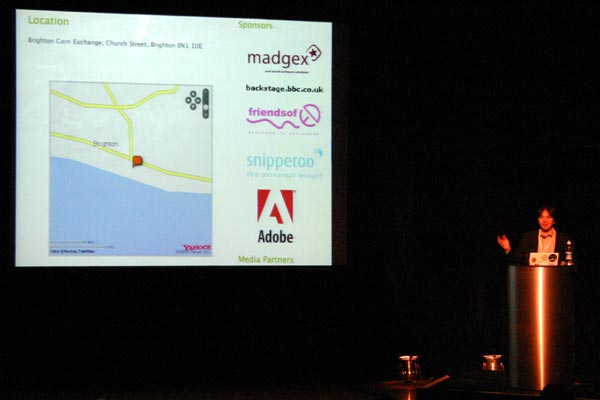
And finally, the most important point is that your mashups are only ever as good as your data. What happens if you look up Brighton with Yahoo maps instead of Google...

[oops! what happened to Brighton?]

Jeremy pointed us to some useful resources for getting started with APIs:

  • Programmable web tells you what's out there to be mashed
  • dapper lets you create a service from any website - DIY API?
  • microformats and all that they can achieve for you
  • mapstraction provides a common API for Google, Yahoo and Microsoft mapping

References from Jeremy's slides are available on his website.

Friday, August 04, 2006

A Little Light Reading

If you're thinking of dipping your toes into the standards compliance/css development pond (come on in, the water's fine!), and you aren't able to afford some of the swanky courses available out there, a good alternative is to read some books by well-respected practitioners in the field, at least to get you started.

Here's a small selection which I've read recently, and have found to be extremely useful. I'll try to add to the list on an ongoing basis, so you might like to come back and check it again later.

I no particular order (other than the order I've read them in!):


  • The CSS Anthology
    - Rachel Andrew, pub Sitepoint
    Excellent all-round introduction to using stylesheets for layout and positioning, with practical real-world examples. Good for people relatively new to CSS - I knew how to change fonts etc but was pretty green regarding CSS for layout until I'd read this and digested it thorougly.

  • Build Your Own Standards Compliant Website Using Dreamweaver 8 - Rachel Andrew, Sitepoint
    Invaluable for pointers on getting the most out of Dreamweaver 8 and making sure your code validates nicely, is properly semantic and doesn't suffer from coad bloat. Good chapter on layout of forms without tables.

  • Dreamweaver 8 Unleashed - Zak Ruvalcaba, SAMS
    A big, thick wedge of a book (I've actually read most of it but not quite all yet). Excellent advice on using Dreamweaver for dynamic projects. Gives code and method examples for ASP, ASP.NET and PHP server models, which is great as some books limit themselves to one flavour. I currently do most of my dynamic projects with ASP.NET, but in future I'll be getting to grips with some PHP too, so it's great not to have to buy another book right from the start.

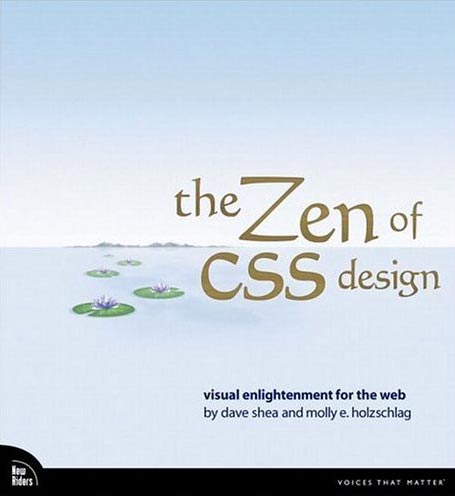
  • The Zen of CSS Design
    - Dave Shea & Molly E. Holzschlag, New Riders
    The book of the website. Dave and Molly take a few of the excellent examples from the CSS Zen Garden site, and deconstruct them, with explanations about each technique explained along with copious screenshots (full colour). Yes, you can look at the site directly and try and work out what the stylesheets are doing, but that's pretty hard if you are a novice, and these succinct explanations are a great help in developing your understanding of how to apply the theory to real-world examples.

  • DOM Scripting (Web Design with JavaScript and the Document Object Model) - Jeremy Keith, Friends of ED
    A great introduction to the scary world of JavaScript for anyone who is thinking about delving into unobtrusive JavaScript which can add progressive enhancements to your site, whilst degrading gracefully if a browser does not support JavaScript (or has it turned off).

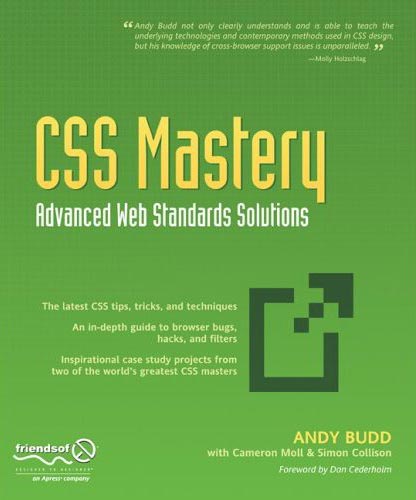
  • CSS Mastery, Advanced Web Standards Solutions - Andy Budd, Friends of ED
    Definitely not for beginners, but takes the examples and techniques to the next level for people who have some experience with coding standards-compliant (X)HTML/CSS. Two chapters at the end, written by Cameron Moll and Simon Collison, bring together lots of the techniques described earlier in the design of two case studies.
That's it for now, although I have a big fat PHP book sitting on the pile to read. I'll add more when I've had time to digest that.

Tuesday, July 18, 2006

D Is For DOM and d.Construct

Inspired by Christian Heilmann's presentation on DOM Scripting last week (he made JavaScript sound fun, for heavens' sake!), I thought I would try and get my head round the concept. I'm much more familiar with CSS and tend to cower in the corner at the thought of writing any Javascript. So I thought I would buy a book. Well, I actually went into Borders looking for a newbie's guide to PHP but came out with Jeremy Keith''s DOM Scripting: Web Design with JavaScript and the Document Object Model (Friends of ED). How did that happen?

Talking of Jeremy and his friends at Clear:left, I have bought my ticket for the 2006 d.Construct meeting in Brighton on 8th September. It promises to be a good event, and I thought I might make a weekend of it and see a bit of Brighton while I'm at it (or is that just so I can recover from the post-con hangover??).