Showing posts with label design. Show all posts

Thursday, June 07, 2007

@media - Five Steps To Better Typography

Next up was Mark Boulton, who wanted us to work with typography in a better way.

  • Be Appropriate & Adaptable
    Typefaces tell stories, and the web is still playing catchup with this power. Comic Sans is appropriate for the menu at a greasy spoon cafe; you wouldn't want an invitation to a Black Tie event done in it though. Similarly, the BBC's use of Gill Sans evokes order and authority. The BBC logo has a twist - by reversing the type and blocking out the shapes of Gill Sans.
    Don't let type and design get in the way of words.
    Be adaptable to requirements, and appropriate for the story.

  • Use Rhythm
    Richard Rutter's Compose To A Vertical Rhythm explains about using the line height and leading of your blocks of text to best advantage. The basic theory goes: 12px font height with 18px between lines, give a line height of 1.5. You can use incremental leading to make 4 lines of text in the main body of a page line up with 5 lines of text in a sidebar.
    [Text in the sidebar bears no relation to the main body copy. It looks messy.]
    The maths gets a bit hairy: 18px x 4 lines = 72px for the main body. 72px ÷ 5 lines = 14.4px for the sidebar
    If you're using 10px height for your sidebar text, 14.4 ÷ 10px = 1.44 line height. You may find the sidebar top-margin property needs a bit of tweaking to get it to line up properly.
    [This looks much better now everything is aligned vertically]

  • Optical Grey
    If you squint at a block of text, you'll see the page has different tonal ranges depending on font, leading, letter spacing etc.
    Verdana has a more open shape, so is paler at smaller sizes.
    Combining serif and sans-serif fonts can be effective, giving different "colours". Minimize dark grey and balance the line height.

  • Use The Right Tools For The Job
    Hyphens "-" are NOT em dashes!! "—". Use an em — or en – where appropriate.

  • Use a Grid System
    Use grids as a tool to help you organise information. How to decide how big the grid unit should be? You can subdivide the units too - you might have a 3em high by 4.5em wide block, which divides nicely into 2x3 squares each of 1.5em width and height.
    Choose gutter sizes carefully, it can depend on the relationship between whitespace and font size.
    Using Alternate Row colours in tables must be done with care - don't use colours which are too strong.
    Set type to your grid, and align everything! The smallest error can really stick out.
In Summary
Typography is all about the details. Tiny increments can make a huge difference. The full slides are available at Mark's website.

@media - High-Noon Shoot Out: Design vs Implementation

This was a bit of light-hearted fun, with two heavyweights standing in opposing corners and trying to convince us their point of view was right.

[the protagonists on the podium]

In The Design Corner - Mr Simon Collison
The Design Manifesto went thus:

  • Visual design is not complex engineering
  • Design interfaces visually, don't be afraid to take risks
  • Reserve the right to veto decisions of technologists
  • Think, build & design organically
  • Don't pander to personal prefereneces
  • Deliver a rich, considered visual experience for all
  • Be expressive with web typography
  • Layout decisions are the preserve of the designer
  • Visual design makes the first impression - respect it!
  • Build everything in Flash (not really)

[Evil Drew - New Implementation, New Danger!]

In The Implementation Corner - Mr Drew McLellan
It all started with nxoc01.cern.ch, the very first web server. Drew said we were all implementers, and as such, we needed to know our enemies:
  • Fixed width layouts
  • Flash for non-media presentation
  • (Flash breaks the basic nature of the web when used for anything other than a player for graphics or audio, and each Flash player instance impacts on performance of the browser)
  • Text replacement, since text on a web page is a solved problem
  • Styled form elements
  • Potent GETs
  • Controlled heights
  • Controlled text size
  • Colour schemes and low contrast
  • The user agent
  • The FOLD - THERE IS NO FOLD since we never know where it's going to be from one browser/user to the next!!
[Drew gets all fervant and placard-wavey saying There Is No Fold]

Conclusion
Of course, we all know that life's not so black and white, and at different times, we may have to sit in different camps. So it was a nice way of stimulating some light-hearted debate, but there's definitely no "right" answer on this one!

Monday, October 30, 2006

I've Had A Facelift!

A virtual one, not a real nip & tuck.

After weeks of dithering, I've finally upgraded my blogs to the blogger beta account (there was no going back, so I wanted to be sure before I jumped!). And while I was at it, I thought I would take the opportunity to choose a new template, more in keeping with the colour scheme of my website, carolinemockett.com

It's taken me a while to get my head round the new blogger template widgets, and when I've had more of a play, there may well be a few more tweaks to the Emperor's New Clothes (or should that be Empress?)

Saturday, August 26, 2006

Non-Designers' Tips

The lastest issue of .Net magazine (#154) has an article by Andy Rutledge, in which complains that not enough is done to inspire good design in people who do not come from a design background. And I agree with him.

Ever since the advent of HTML, anyone with a bit of a techie background has been able to put together a home page of their own and let it loose on the web.

In my time, I've stumbled across some truely shocking examples of bad design. I'm sure you know the sort of thing - fonts all sizes and clashing colours, forty different typfaces in use; nothing lines up; everything screams at you, and basically you can't be bothered to see the wood (good content) for the trees (hideous design). Recently, I found the XOXO blog, and I'm afraid it's assault on my eyeballs prevented me from actually reading the blog to see if there was any useful information there. I just felt ill. [Sorry guys if you read this via trackback, but I'm afraid it's not just a matter of personal taste, there are also usability/accessibility issues which have been resolutely ignored :-( ]

My background is geeky rather than arty (my degree was Electronic Engineering; the only thing we ever "designed" was the odd circuit board layout!). So aside from my latent arty tendencies with my photography, how did I pick up the basics of good design?

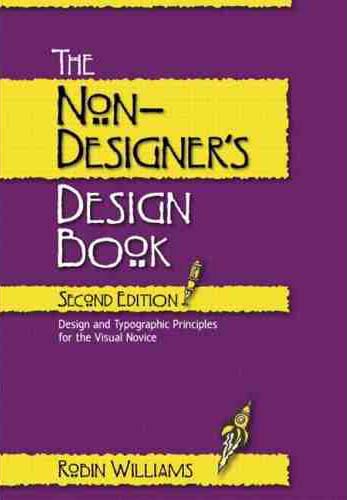
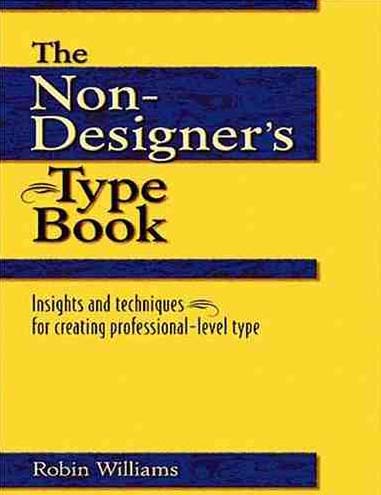
When I first started web design (with lovely Notepad) back in 1996, I made all the mistakes a novice can. There are some nasty memories lurking out there in the WayBack Machine! But I later found two books by Robin Williams very useful (no, not that Robin Williams, this one is a woman!). They are:

The Non-Designers' Design Book - Robin Williams, Peachpit Press
Giving the basic principles of good design, layout, use of space, etc. Robin remembers the four major elements of design by a handy little acronym, I'm sure you'll be able to work out what it is:

  • Contrast
  • Repetition
  • Alignment
  • Proximity
Her book is anything but! It exapans on each of these elements as you go through each chapter. The second is:

The Non-Designers' Type Book - Robin Williams, Peachpit Press
Which shows you the right and wrong ways to go about using typography in your designs.

Both books are primarily aimed at design for print, and although print and web are quite different in some ways, the principles still hold true for the design of a web page.

If you're just starting out (or would like to learn about some of the formal grammar of design), you might well find these helpful.

Thursday, June 15, 2006

@media, Good Design vs Great Design

A discussion panel chaired by John Hicks, Veerle Pieters & Cameron Moll.

Design is about communication, not just about making things look pretty. Subjective! How important is is to be original & creative? This can be intimidating for new designers. Look for inspiration from all things, not just the genre you're working on. Look at the brief to see what (if any) conventions have to be followed (eg existing branding).

Can great design be achieved on a budget? No! You may well get good design on a budget, but it's time that's required to make something into a truely great design - and time means money. Thinking time is required, not just the time taken to produce something. Great designers can produce something more quickly, perhaps, than other designers, within the timescale.

Grids

Grids can help you with placement and proportion. Assess the requirements of your likely content - eg long headlines, size of photographs etc, and plan your grid/layout around them accordingly. Violate the grid when neccessary. 5 Steps To Designing Grid Systems.

Methods:

  • Fixed width, uniform - www.newyorktimes.com
    11 columns: 1 wide, 2 wide, 4 wide, 2 x 2 wide
    Useful to use a b/g element tracing image (add to wrapper div) - switch it on and off as you develop.
  • Fixed width, hierarchical
    eg 2 cols either side ~160px; 1x400px, 1x200px - left and right cols can be used for ads.
  • Fluid width - vivabit.com
    Columns stretch as a percentage of browser width.
  • Fluid+fixed width
    eg first four coloumns resize in browser, last one fixed width for adverts

Typography

Every typeface has its own language, emotion, implied age etc. Type can be the design itself.
Imagine the Sex Pistols "Never Mind The Bollox" cover done in Comic Sans & Princetown - it looks ridiculous!
Use harmonising fonts. Meta/Trebuchet are a good pair. Americans tend to use Serif fonts, Europeans tend to favour sans serifs (why?!)
Great typography is not just choosing a cool font. It should be invisible - and relates to space, lines etc.

Case studies:

  • www.alistapart.com - Titles are centred, serifs, colours. Body text, left aligned, and given a decent leading ~1.8em. Author names are text-transform: uppercase, bold, larger kerning - makes it very easy to spot the authors in a list of articles.
  • www.subtraction.com - headings have bold use of whitespace to delineate hierarchy.

Sparks of creativity - tweak the H in the Shelter logo; often just one eleent can be reused to give accent.
Good designers use typefaces, great designers use typography => improve your typography! Ref: 5 Simple Steps To Better Typography

Colour
Why is colour so important? It sets mood, personality, emotion of a site. Can convey meaning. Adds balance and contrast. Great design doesn't solely rely on colour to convey message. Contrast is important - don't overdo colour. Colour guidance for different sections of a site can be useful.