Showing posts with label playpen. Show all posts

Wednesday, November 22, 2006

Playpen #7 - Flickr API

With my new-found ability to consume RSS (and by inference, any XML), my next challenge was to combine that with Playpen # 2 - Lightbox JS and the Flickr API and see what fun I could have.

Firstly, I logged into Flickr and found a suitable photo set of mine to play with, taking note of the setID. Browsing the API documentation, I found the API Explorer page very useful. It gives you some handy values straight away, such as your userID, plus recent photoIDs, setIDs and contactIDs.

If you put the SetID in the form on the Explorer page, and call the method (I used an unsigned call, since I was only interested in displaying pictures, not writing details or uploading), the XML file for your photo set is returned, along with the all-important URL you can use to call the method from your web page.

Whilst I didn't actually need to save this generated XML file, I did find it useful to see exactly what was what in terms of the schema - sometimes seeing an actual value tells you an awful lot more than just seeing the name of an element or attribute.

I then used Dreamweaver8 to generate a new XSL fragment file, which calls the aforementioned URL as its source. This gives you a display of the XML schema in the bindings panel. You can then drag and drop elements and attributes (relatively) painlessly onto your XSL document:
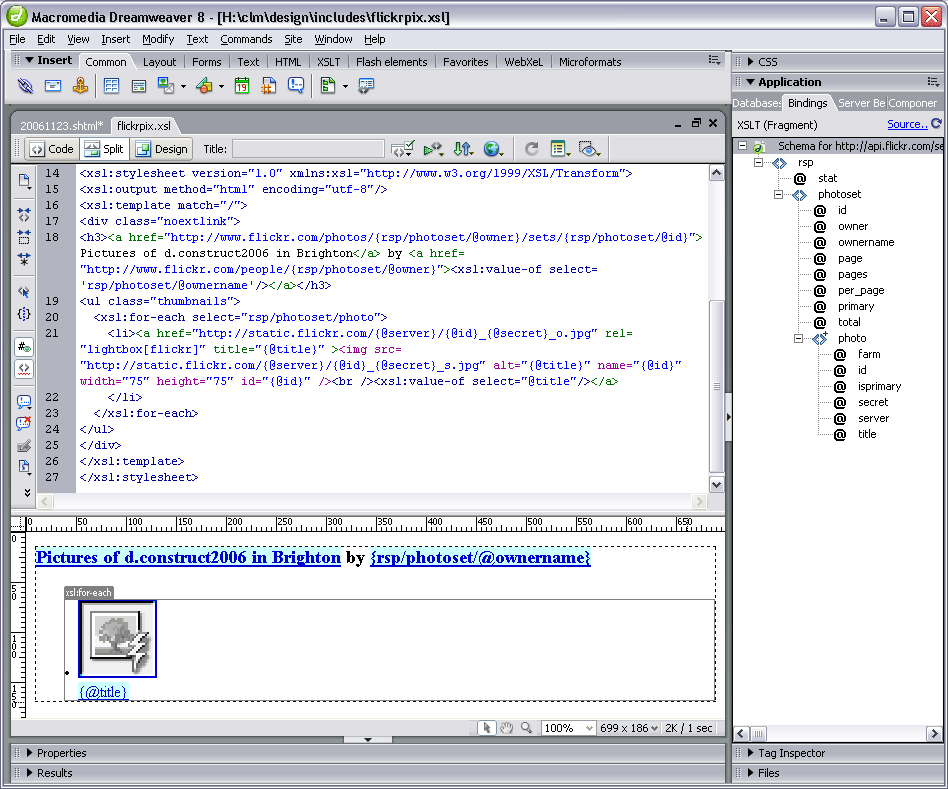
The nuts and bolts of my stylesheet are as follows:

<xsl:stylesheet version="1.0" xmlns:xsl="http://www.w3.org/1999/XSL/Transform">
<xsl:output method="html" encoding="utf-8"/>
<xsl:template match="/">
<h3>
<a href="http://www.flickr.com/photos/{rsp/photoset/@owner}/sets/
{rsp/photoset/@id}">Pictures of d.construct2006 in Brighton</a>
by <a href="http://www.flickr.com/people/{rsp/photoset/@owner}"><xsl:value-of select='rsp/photoset/@ownername'/></a>
</h3>
<ul class="thumbnails">
<xsl:for-each select="rsp/photoset/photo">
<li><a href="http://static.flickr.com/{@server}/{@id}_{@secret}_o.jpg" title="{@title}" >
<img src="http://static.flickr.com/{@server}/{@id}_{@secret}_s.jpg" alt="{@title}" name="{@id}" width="75" height="75" id="{@id}" />
<br /><xsl:value-of select="@title"/></a></li>
</xsl:for-each>
</ul>
</xsl:template>
</xsl:stylesheet>
The Photo Source URLs page was extremely useful in telling me what paths I needed to construct for the image thumbnails and originals. Even so, I spent a frustrating half hour getting the syntax right. I learned the hard way that copy/paste in the code view doesn't always get you the right path - but if you drag an attribute from the bindings panel onto the design view of the file (not the code view), the path is sorted out for you!

Basically, I was mistakenly adding:
{rsp/photoset/photo/@attribute}
instead of just {@attribute}, in the loop, and nothing showed up. But the overall title bit worked fine - because this was outside the loop, and did require the rest of the path to parse correctly. Argh!

With a bit of CSS styling, the photoset is displayed nicely in Playpen #7. Clicking the title or thumbnail then brings up the LightboxJS function to display the original image from Flickr, with it's title and prev/next links to the other pictures in the set.

Saturday, November 18, 2006

Playpen #6 - sIFR Headlines

I've been meaning to experiment with sIFR headline styling ever since hearing Dave Shea's Fine Typography On The Web piece during the @media 2006 conference. I've finally got a demo going at playpen #6.

What does sIFR mean?
sIFR stands for Scalable Inline Flash Replacement, and is an unobtrusive JavaScript/Flash solution for providing lovely fonts on your site (eg for headlines) whilst still remaining accessible, and not relying on that font being installed on a user's machine. Read more about the techniqute by visitng the official sIFR Wiki/Documentation site. H1 and H2 headings are best restyled using sIFR, rather than large bodies of text. If a browser does not have JavaScript enabled, the headlines will just be styled by the regular CSS definitions, so it degrades gracefully.

Why Bother?
There are several techniques for image replacement. The Gilder/Levin method is one such (see Dave Shea's article which explains some of the others too). Gilder/Levin is recognised as one of the best from an accessibility standpoint. But the down side, is that you have to manually generate each graphic used to replace your text, plus add a specific CSS rule for each in your stylesheet. That's all very well if you have a smallish, static site, and not many headings to replace. But what about database-driven sites and blogs, where you don't know in advance what the text will be which needs replacing? The only practical way to go is sIFR under these circumstances.

Where Can I Get It?
More information and a download for the code can be found at Mike Davidson's sIFR page.

Where Is It Used?
Keep an eye out for any sites which use unusual typography for headings or recurrent elements. If this is a database-driven site (such as ecommerce or blog), the chances are, sIFR will be the method that's used. Two likely candidates off the top of my head are:

Friday, November 17, 2006

Playpen #5 - Well Fed

Generating RSS
I've been meaning to get some rss feeds sorted out for my photographic sites for some time. There were some technicalities which I was wracking my brains to overcome, and for a while, I couldn't make up my mind which format to support. But in the end, it only took a couple of dollars to pull my finger out - I found a great tutorial at CommunityMX about blog authoring, which gave me the final push.

I also found the rss2.0 specification and feed validator for Atom and RSS invaluable in getting a valid feed sorted out.

Where Are My Feeds?

Feed Reader Interpretations
One thing I'd not really taken much notice of, as a consumer of other people's feeds, was how various feed readers actually present the information. But once I started authoring feeds, it's become a bit more obvious how each aggregator parses the xml file to display the feed. Some will only show 20 posts (no matter how many are actually in the feed), others keep a cached copy and don't seem to want to update the feed if the order of posts hasn't changed but the layout and content has. All rather frustrating if you're trying to author a feed and test it!

Some Anomalies
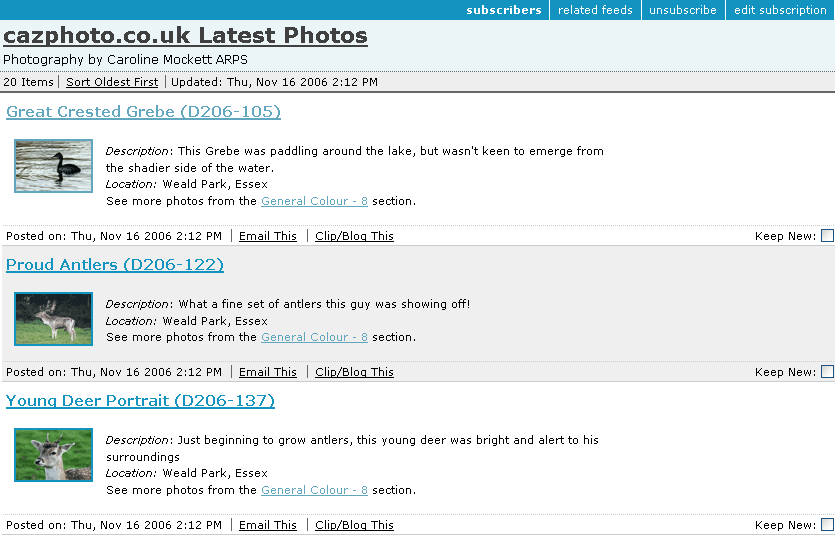
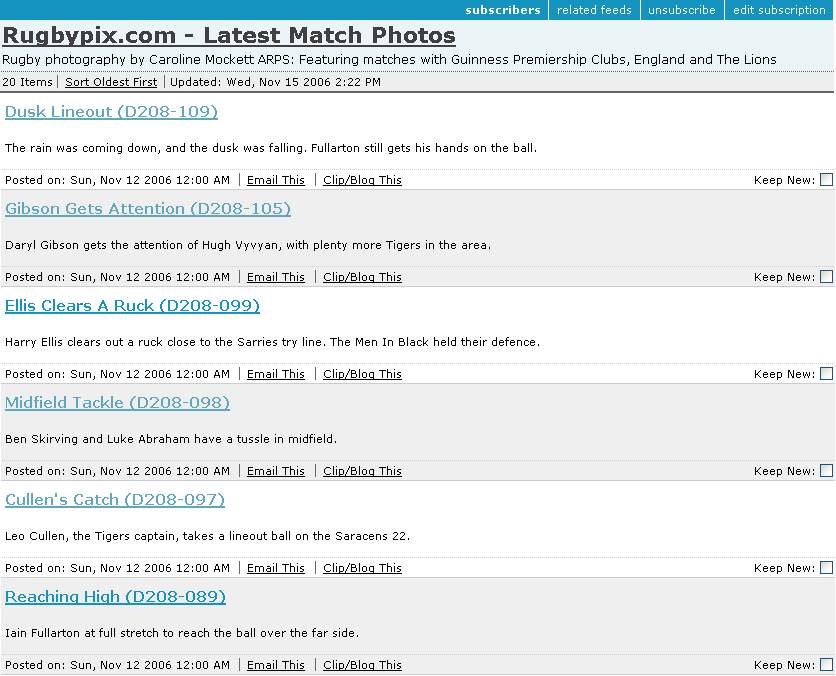
First off, Bloglines keeps a cache of the feed, and so it's only showing an early version of the rugbypix feed (without thumbnails) in this screenshot:

Also, if a feed has 40 items (I sometimes post a large batch of images so didn't want to limit the feed to the last dozen or so), it only shows 20 - the oldest 20. So when other feed readers show the last two matches (40 images = 2 games, 20 images each), Bloglines will only display the last but one game's pictures, not the latest 20. [Add: between composing this and actually posting it, Bloglines has now caught up and refreshed the feed - but it did take about 48 hours!]

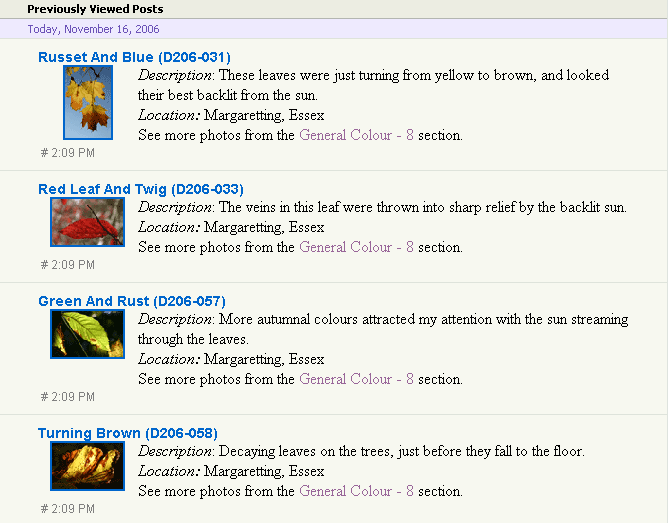
The cazphoto feed looks a little better (I'd got the hang of formatting by now):

Next we see what it looks like in YahooMail Beta feed reader:

Quite a nice presentation, but it doesn't show the date up very well.

Google's feed reader makes a nice job of things in expanded view:

Plus it offers a cutdown list view if you so wish:

I also tried the Sage plugin for Firefox, which gives yet another take on the display, showing a 3-pane affair, feeds at top left, item summary of feed in bottom left and a rather more snazzily-laid out view of each item in the right pane:


So there we have it - a small sampling of feed readers. What's your favourite feed reader, and how well does it render your chosen feeds? One final (surprising) thing I found out during my investigations was that the standard Flickr Photo Feeds don't validate! Oops!

Publicising Your Feed
It's no good having a feed and no-one knows it's there. Adding a suitable link (often showing the Feed icon icon) to your website can help. Also, add a link in the head of your page to tell feed readers your feed is available. This takes the format:
<link rel="alternate" type="application/rss+xml" title="My Feed " href="http://www.mysite.com/rss/">
Third Party services such as pingomatic can also help raise the profile of your feed. Happy pinging.

Tuesday, October 24, 2006

Playpen #4 - Microformats/Too Many Tails?

Enthused by the WSG meeting on Microformats last Thursday, I thought I would update my website to include some hCard information, so put together an About Me section.

I thought I would include links to "me" elsewhere on the web, too - such as Flickr and Upcoming. The hCard spec allows for these sort of additional URLs, as long as you mark them up with class="url", which I duely did.

However, when the Tails extension for Firefox scrapes the page for Microformat info, if you have marked up multiple links with class="url" - it just takes the last one in the vCard element as the one which is displayed in the popup. I removed the class from the last link in the list, and Tails took the next one up. So, it seems Tails doesn't parse mutlitple URLs and list them too, it just uses "last man wins" as the URL to display - a shame :-( It would be nice if it took the one associated with the name or organisation element as primary. Perhaps there is a way to say which one is primary, and I'm missing the point?

In order that I don't mess up my about me page, I've taken these extra classes off it, but in order to show you what I mean, I've replicated the problem in the playpen4 page.

If anyone has any thoughts or comments, I'd be interested to hear them.

31st October - add:

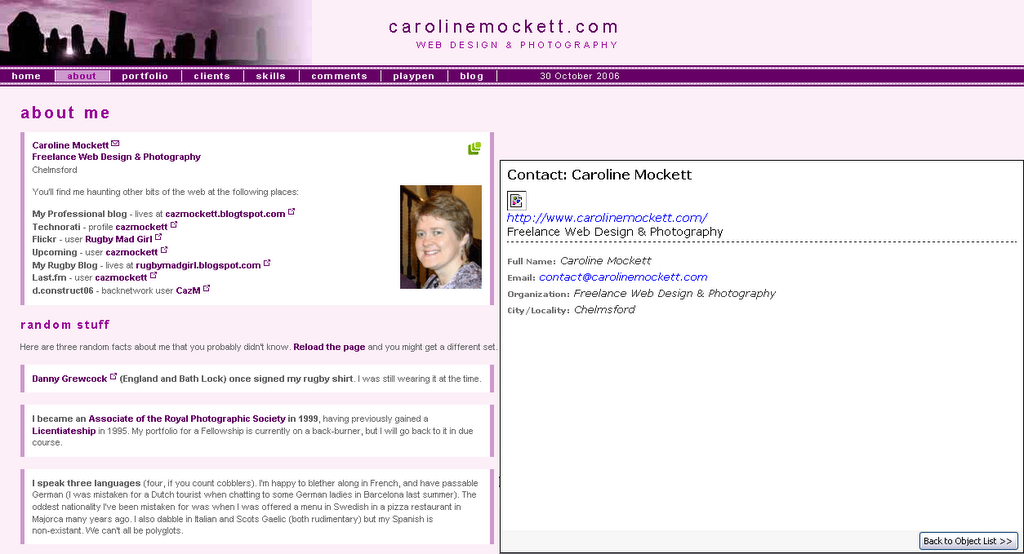
Further to Trovster's comments, here are two screenshots for my version of Tails (0.3.4):

[click for a bigger version] - Tails displays my Contact details with just one URL: the link surrounding "Freelance Web Design & Photography" is the only anchor marked up with class="url" on this page.

However, the playpen4 page looks like this with Tails:

[click for a bigger version] Tails still displays just one URL, but this time it's the last one in the hCard list marked up with class="url", this time the link for my dConstruct Backnetwork profile.

Wednesday, September 27, 2006

Playpen #3 - Changing Your Stripes

You know what they say about Leopards... well at least you can get a table to change its stripes with a bit of DOM scripting.

It's a fairly trivial problem, but seeing as I'm pretty green when it comes to unobtrusive JavaScript, it's somewhere to start!

The Playpen #3 page shows off the table, which has a new class added on alternate rows, and defines a new background colour in the CSS. OnMouseOver will change the class again, to give another colour. But I'm having real trouble resetting the original class/colour onMouseOut... It's probably because the DOM is changed on the fly, and the original (not moused over) state of the alternate row is never actually "stored" on the page. If anyone has any suggestions, I'd be very interested to hear.

For the record, my stripeTables script looks like this:

function stripeTables() {
if (!document.getElementsByTagName) return false;
var tables = document.getElementsByTagName("table");
for (var i=0; i<tables.length; i++) {
var odd = false;
var rows = tables[i].getElementsByTagName("tr");
for (var j=0; j<rows.length; j++) {
if (odd == true) {
addClass(rows[j],"altrow");
odd = false;
} else {
odd = true;
}
}
}
}

addLoadEvent(stripeTables);

And this is highlightRows:

function highlightRows() {
if(!document.getElementsByTagName) return false;
var rows = document.getElementsByTagName("tr");
for (var i=0; i<rows.length; i++) {
var rowclass = rows[i].getAttribute("class");
rows[i].onmouseover = function() {
addClass(this,"highlight");
}
rows[i].onmouseout = function() {
this.setAttribute("class" , "rowclass[i]");
}
}
}
addLoadEvent(highlightRows);
I thought getting the Class attribute and storing as rowclass would allow me to reset it to what it was before the onMouseOver event, but sadly the table rows become unstripey once they are moused over!

The only other way I can think of doing it is writing some sort of subtractClass script to complement addClass, but seeing as this will almost certainly involve hideous regular expressions, I'm rather shying away from that.

Anyone have any ideas what I'm doing wrong?

Saturday, September 23, 2006

Playpen #2 - Lightbox JS

The d.Construct Backnewtwork has a neat feature which hooks into the Flickr API and pulls out all suitably-tagged images of the conference. Then when you click an image, it appears in a rather sexy overlay window.

I've been looking for some time, for an unobtrusive javascript method of displaying a photo + caption in a popup, as I have several sites which require this feature, without needing to go for the overhead of dynamic pages or a page per image. Trouble is, most of the methods I've found haven't been friendly if you turn off JavaScript!

The latest issue of .Net magazine (#154) also has a tutorial on Lightboxes (Javascript Image gallery widgets), so I thought I'd give Lightbox JS a try.

It works great straight out of the box, is dead easy to inplement, and will let you customise quite a few features. If users have Javascript disabled, they still get to see the content (the larger image when you click on the thumbnail, albeit in a boring vanilla window), so it's fine from an accessibility standpoint. And I'm pretty sure it's the very same method the backnetwork uses.

I knocked a quick gallery together, which you can see at the Playpen #2 page.

Wednesday, September 20, 2006

Playpen #1 - Google Maps

Inspired by Jeremy Keith's piece at d.Construct the other week, I've finally dipped my toe in the water of fiddling with APIs - and like many, I decided to go for a Google Map.

It helped that there was a tutorial about that very subject in .Net magazine (issue #153), but when I tried it out, it wasn't working properly. I checked my typing repeatedly for spelling errors, but couldn't find why the map was rendering OK but the overlay bubble was not. Firefox's JavaScript debugger kept coming up with some weird error message about XML mismatches on a line which didn't even exist in the file!

So I turned to my newly acquired tome by Chris Heilemann (see, Chris, after your earlier teasing, I did go out and buy it!): Beginning JavaScript with DOM Scripting and AJAX. Sure enough, in the AJAX-based chapter at the end, I found Chris' take on Google Maps.

Between that, and the Google Maps documentation, I finally figured out how to make a map, add custom marker, and have the info bubble pop up when the marker is clicked. You can see my bit of fun on the Playpen #1 page