Playpen #7 - Flickr API
With my new-found ability to consume RSS (and by inference, any XML), my next challenge was to combine that with Playpen # 2 - Lightbox JS and the Flickr API and see what fun I could have.
Firstly, I logged into Flickr and found a suitable photo set of mine to play with, taking note of the setID. Browsing the API documentation, I found the API Explorer page very useful. It gives you some handy values straight away, such as your userID, plus recent photoIDs, setIDs and contactIDs.
If you put the SetID in the form on the Explorer page, and call the method (I used an unsigned call, since I was only interested in displaying pictures, not writing details or uploading), the XML file for your photo set is returned, along with the all-important URL you can use to call the method from your web page.
Whilst I didn't actually need to save this generated XML file, I did find it useful to see exactly what was what in terms of the schema - sometimes seeing an actual value tells you an awful lot more than just seeing the name of an element or attribute.
I then used Dreamweaver8 to generate a new XSL fragment file, which calls the aforementioned URL as its source. This gives you a display of the XML schema in the bindings panel. You can then drag and drop elements and attributes (relatively) painlessly onto your XSL document: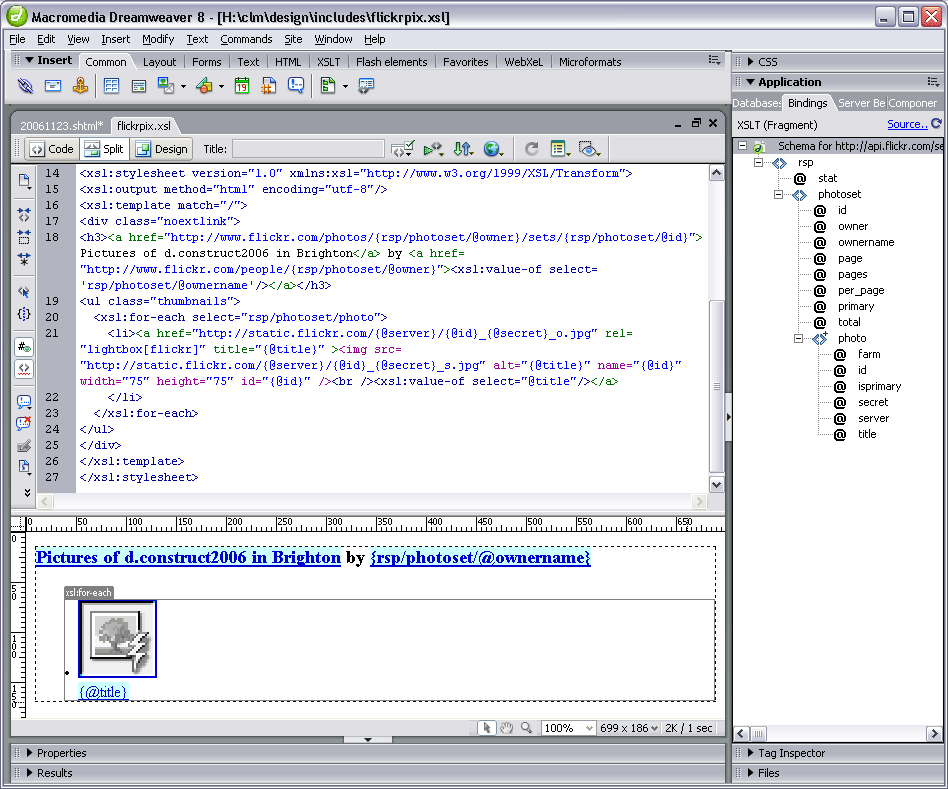 The nuts and bolts of my stylesheet are as follows:
<xsl:stylesheet version="1.0" xmlns:xsl="http://www.w3.org/1999/XSL/Transform">The Photo Source URLs page was extremely useful in telling me what paths I needed to construct for the image thumbnails and originals. Even so, I spent a frustrating half hour getting the syntax right. I learned the hard way that copy/paste in the code view doesn't always get you the right path - but if you drag an attribute from the bindings panel onto the design view of the file (not the code view), the path is sorted out for you!
<xsl:output method="html" encoding="utf-8"/>
<xsl:template match="/">
<h3>
<a href="http://www.flickr.com/photos/{rsp/photoset/@owner}/sets/
{rsp/photoset/@id}">Pictures of d.construct2006 in Brighton</a>
by <a href="http://www.flickr.com/people/{rsp/photoset/@owner}"><xsl:value-of select='rsp/photoset/@ownername'/></a>
</h3>
<ul class="thumbnails">
<xsl:for-each select="rsp/photoset/photo">
<li><a href="http://static.flickr.com/{@server}/{@id}_{@secret}_o.jpg" title="{@title}" >
<img src="http://static.flickr.com/{@server}/{@id}_{@secret}_s.jpg" alt="{@title}" name="{@id}" width="75" height="75" id="{@id}" />
<br /><xsl:value-of select="@title"/></a></li>
</xsl:for-each>
</ul>
</xsl:template>
</xsl:stylesheet>
Basically, I was mistakenly adding:
{rsp/photoset/photo/@attribute}instead of just {@attribute}, in the
With a bit of CSS styling, the photoset is displayed nicely in Playpen #7. Clicking the title or thumbnail then brings up the LightboxJS function to display the original image from Flickr, with it's title and prev/next links to the other pictures in the set.


