Showing posts with label typography. Show all posts

Thursday, June 07, 2007

@media - Five Steps To Better Typography

Next up was Mark Boulton, who wanted us to work with typography in a better way.

  • Be Appropriate & Adaptable
    Typefaces tell stories, and the web is still playing catchup with this power. Comic Sans is appropriate for the menu at a greasy spoon cafe; you wouldn't want an invitation to a Black Tie event done in it though. Similarly, the BBC's use of Gill Sans evokes order and authority. The BBC logo has a twist - by reversing the type and blocking out the shapes of Gill Sans.
    Don't let type and design get in the way of words.
    Be adaptable to requirements, and appropriate for the story.

  • Use Rhythm
    Richard Rutter's Compose To A Vertical Rhythm explains about using the line height and leading of your blocks of text to best advantage. The basic theory goes: 12px font height with 18px between lines, give a line height of 1.5. You can use incremental leading to make 4 lines of text in the main body of a page line up with 5 lines of text in a sidebar.
    [Text in the sidebar bears no relation to the main body copy. It looks messy.]
    The maths gets a bit hairy: 18px x 4 lines = 72px for the main body. 72px ÷ 5 lines = 14.4px for the sidebar
    If you're using 10px height for your sidebar text, 14.4 ÷ 10px = 1.44 line height. You may find the sidebar top-margin property needs a bit of tweaking to get it to line up properly.
    [This looks much better now everything is aligned vertically]

  • Optical Grey
    If you squint at a block of text, you'll see the page has different tonal ranges depending on font, leading, letter spacing etc.
    Verdana has a more open shape, so is paler at smaller sizes.
    Combining serif and sans-serif fonts can be effective, giving different "colours". Minimize dark grey and balance the line height.

  • Use The Right Tools For The Job
    Hyphens "-" are NOT em dashes!! "—". Use an em — or en – where appropriate.

  • Use a Grid System
    Use grids as a tool to help you organise information. How to decide how big the grid unit should be? You can subdivide the units too - you might have a 3em high by 4.5em wide block, which divides nicely into 2x3 squares each of 1.5em width and height.
    Choose gutter sizes carefully, it can depend on the relationship between whitespace and font size.
    Using Alternate Row colours in tables must be done with care - don't use colours which are too strong.
    Set type to your grid, and align everything! The smallest error can really stick out.
In Summary
Typography is all about the details. Tiny increments can make a huge difference. The full slides are available at Mark's website.

@media - Design Interface Juggling

Dan Cederholm took us through the various elements of interface design that a good juggler should be able to "keep in the air".

[Dan and his interface-juggling octopus]

Colour
Colour evokes an emotional response in the viewer, and we need to be careful when choosing a palette. At Wellstyled.com, there's a handy widget for generating complimentary colour schemes. Try it out.

Dan had mocked up a site especially to demonstrate some of his points - go have a giggle over at ToupéePal!

One good way of choosing a palette is by taking shades from a photo - either sample direstly, or pixellate it and use some of the blocks. Dan often starts with colour as the inspiration for a site and works from there. He will re-use certain strategic colours throughout a site, eg Links, headings etc. The colour used for links will always carry weight in the design.

Typography
Great typography is actually invisible - we don't notice it. But do it badly and it sticks out like a sore thumb. He recommended the article, Web Design is 95% Typography to read.

There are a limited number of fonts we can realistically guarantee a user having on their system, but within these constraints, we can still get creative. Try using the text-transform uppercase or lowercase styles, change the letterspacing, text-align, leading etc to vary the typographical colour of a block of text. Good reading: "The Elements of Typographical Style" by Robert Bringhurst, if you can find it. Read more on applying it to the web here.

Favicons
Could be regarded as the most important design element on your site! They are the thing that represents it in the shortcut icon, browser address bar etc.

[Subtraction.com uses each site's favicon as shorthand branding for the link]

So when creating a favicon, it has to be something memorable. They must:

  • Scale well down to 16x16 pixels
  • If the whole logo doesn't work, choose a fragment to focus on
  • Use something unique about the site that still ties in with the branding
Icon files can be made with Iconographer or a plugin for Photoshop. As well as the standard 16x16 icon, 32x32 and 64x64 pixel icons can be inserted into the same .ico file. There's an interesting collection of Favicons at Delta Tango Bravo's blog.

Add Detail But Not Complexity
Understand the limitations of the browser, and suggest the box [model] but with minimal suggestions. Perhaps use just one rounded corner on an element. Re-use graphic elements where you can.

Microformats
If you site contains any sort of contact information, events lists, reviews or relationships, then you should be marking them up with Microformats. Using what works today can encourage others to do the same:

[The Microformats can be used by people, applications and as hooks for CSS]

Brian Suda did some parsing of Cork'd for Microformats, and used this information to add wine reviews (from Cork'd) to his Scrugy site, where you can learn all about wine. Corkd's Microformats had produced an accidental API. If you were to mash this up with a list of your XFN friends, you could use it as a filter for just returning reviews from your trusted sources.

Saturday, November 18, 2006

Playpen #6 - sIFR Headlines

I've been meaning to experiment with sIFR headline styling ever since hearing Dave Shea's Fine Typography On The Web piece during the @media 2006 conference. I've finally got a demo going at playpen #6.

What does sIFR mean?
sIFR stands for Scalable Inline Flash Replacement, and is an unobtrusive JavaScript/Flash solution for providing lovely fonts on your site (eg for headlines) whilst still remaining accessible, and not relying on that font being installed on a user's machine. Read more about the techniqute by visitng the official sIFR Wiki/Documentation site. H1 and H2 headings are best restyled using sIFR, rather than large bodies of text. If a browser does not have JavaScript enabled, the headlines will just be styled by the regular CSS definitions, so it degrades gracefully.

Why Bother?
There are several techniques for image replacement. The Gilder/Levin method is one such (see Dave Shea's article which explains some of the others too). Gilder/Levin is recognised as one of the best from an accessibility standpoint. But the down side, is that you have to manually generate each graphic used to replace your text, plus add a specific CSS rule for each in your stylesheet. That's all very well if you have a smallish, static site, and not many headings to replace. But what about database-driven sites and blogs, where you don't know in advance what the text will be which needs replacing? The only practical way to go is sIFR under these circumstances.

Where Can I Get It?
More information and a download for the code can be found at Mike Davidson's sIFR page.

Where Is It Used?
Keep an eye out for any sites which use unusual typography for headings or recurrent elements. If this is a database-driven site (such as ecommerce or blog), the chances are, sIFR will be the method that's used. Two likely candidates off the top of my head are:

Saturday, August 26, 2006

Non-Designers' Tips

The lastest issue of .Net magazine (#154) has an article by Andy Rutledge, in which complains that not enough is done to inspire good design in people who do not come from a design background. And I agree with him.

Ever since the advent of HTML, anyone with a bit of a techie background has been able to put together a home page of their own and let it loose on the web.

In my time, I've stumbled across some truely shocking examples of bad design. I'm sure you know the sort of thing - fonts all sizes and clashing colours, forty different typfaces in use; nothing lines up; everything screams at you, and basically you can't be bothered to see the wood (good content) for the trees (hideous design). Recently, I found the XOXO blog, and I'm afraid it's assault on my eyeballs prevented me from actually reading the blog to see if there was any useful information there. I just felt ill. [Sorry guys if you read this via trackback, but I'm afraid it's not just a matter of personal taste, there are also usability/accessibility issues which have been resolutely ignored :-( ]

My background is geeky rather than arty (my degree was Electronic Engineering; the only thing we ever "designed" was the odd circuit board layout!). So aside from my latent arty tendencies with my photography, how did I pick up the basics of good design?

When I first started web design (with lovely Notepad) back in 1996, I made all the mistakes a novice can. There are some nasty memories lurking out there in the WayBack Machine! But I later found two books by Robin Williams very useful (no, not that Robin Williams, this one is a woman!). They are:

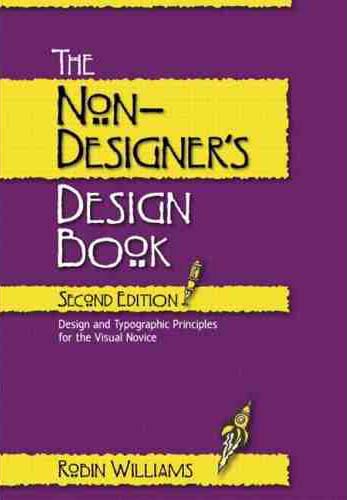
The Non-Designers' Design Book - Robin Williams, Peachpit Press
Giving the basic principles of good design, layout, use of space, etc. Robin remembers the four major elements of design by a handy little acronym, I'm sure you'll be able to work out what it is:

  • Contrast
  • Repetition
  • Alignment
  • Proximity
Her book is anything but! It exapans on each of these elements as you go through each chapter. The second is:

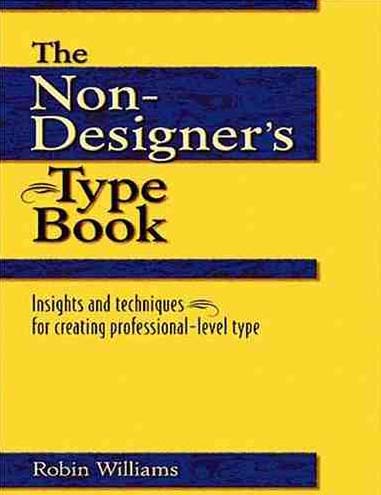
The Non-Designers' Type Book - Robin Williams, Peachpit Press
Which shows you the right and wrong ways to go about using typography in your designs.

Both books are primarily aimed at design for print, and although print and web are quite different in some ways, the principles still hold true for the design of a web page.

If you're just starting out (or would like to learn about some of the formal grammar of design), you might well find these helpful.

Friday, June 16, 2006

@media, Strategic CSS Management

Panel with Roger Johansson, Rachel Andrew and Dave Shea.

Always use basic vanilla CSS and HTML files as your starting point for any project. Then work on repurposing this to suit your bespoke application. This gives you a basic framework on which to build each time. Ref: undohtml.css (google for it or go to the end of this page) zaps all of the default browser formatting. Tantek developed it. Use to copy and paste into all new projects.

Next, stuff in the markup and some greeked content and validate

How to break up multiple CSS files
Several ways to do it, including:

  • by typography, colours, layout (clear:left does this I think)
  • Rachel puts most of her css in one file and pulls out the hacks into a separate one.
  • Divide the sheet up with comments when its more complex.
  • If its a very big sheet - put a Table of Contents at the top with these sort of comments /* page:=Header */ - as CTL-F will find "=name" very easily (equals not otherwise used in the CSS markup so you won't end up with spurious finds).
  • Dave breaks it up into sections: global nav; sidebar nav; basic html; then will use a separate file for a specific section such as the shopping cart function - he finds it easier to find things again afterwards.
  • List colours @ top of stylesheet in a comment - that way its much easier to do a global search and replace if needed.
One problem arises when you edit a stylesheet - you might rid the markup of a div, but rarely do you then weed out the associated css in the stylsheet - so it can end up rather bloated with old stuff you're no longer using. Try and use some sort of methodology to see if you can rid yourself of the extras.

Using Dreamweaver & Contribute in a collaborative environment
Some partcipants have DW and Contribute, and break the CSS up so that the typography is in one sheet which the dumb users can see - Contribute users will be able to apply these styles when choosing from their CMS, and so won't apply a page structure style to something that would blow up. The human factor has to come into play - there's no right or wrong way - you may choose to have one stylesheet for a small site, but split it up for a CMS-driven one.

COMMENT the CSS so you know what's what - its boring but very necessary when you come back (or someone else does) six months later and you can't remember what you did! Dave also finds it useful to comment the markup with div ends such as as you're not always sure which is the closing </div> tag (felt smug as I've already started to do that!).
  • ALWAYS ALWAYS comment Hacks so you remember why they're there. Useful to include the download/explanation URL in there too, for your future reference.
  • IF you use comments to break up the CSS, use lots of TABs to shift them over to the RHS - they are much easier to scan for quickly that way.
  • If you are a large team, comment the CSS with your name and the date when you make changes
Class/id Naming Conventions
Stick to a scheme, be consistent across projects so you are not left looking for something months later (also stems from using one vanilla template to seed each project). Use names such as .sidebar, #navigation, .menu ie keep the name structural rather than related to how it looks. If there were rigid or ideal naming conventions, it would be great for accessibility as users could then more easily override a given style on a page - but that's Utopia, it ain't gonna happen.

You can (if you're clever) use Server-side scripting to change styles on the fly, but none of the panel had much experience of that.

Code Order
Within your CSS, try and be structural about your layout order - start with wrapper, header, then the rest.
Pick an order that makes sense for global sheets, or global, generic then section-specific.
Within a rule, try and stick to a set order for properties (its just good organisation, doesn't make any difference); position, float, colour, text align etc.
Specifity- when using rules which override previous ones directly, try and put them near each other, if possible, so you're not hunting all over the stylesheet. - you can still see the styles which will override the properties.
Or group by elements - H1, H2,... Li...<a href> etc.

Tools
Text editors are OK! Or Topstyle, Firefox Web Developer toolbar (switch sheets on and off stupidly easily) .
Testing
Browsercam - its just like having multiple boxes running different browsers (VM ware?)

Thursday, June 15, 2006

@media, Fine Typography On The Web

by Dave Shea. Downloadable from Dave's website archive.

Typography affects tone. Leading affects readability. Across all platforms and OS's, the designer only has about 10 fonts to rely on being installed - not very good.

  • Times New Roman - if you use this, it looks like you've made a mistake, or your style sheet hasn't loaded!
  • Arial - really a ripoff of Helvetica, a safe choice, but boring. Read: The Scourge Of Arial
  • Verdana / Georgia are a good pair for sans + serif fonts. But they could become non-safe backups in due course as MacOS X will not neccessarily carry them.
  • Trebuchet MS / Comic Sans alternatives, but Comic only really any good for doing kiddies stuff.
  • Lucida Sans / Palatino (serif) might like to think about them.
Font Survey websites are all very well, but they don't tend to be very representative of the general populace as the only people that fill in the surveys are the sort of folks who care about typography!

Fonts to look out for in future release of Windows (Vista):
  • Calibri (sans) - good for body copy
  • Cambria - a bit more subtle than Georgia
  • Candara - probably best reserved for headlines
  • Consolas - a monospaced font which will be great for code examples
  • Constantina - better for larger sized text, eg headlines and pullquotes
  • Corbel - excellent all-rounder
NEVER USE THE FONT TAG AGAIN!!!

So how do we get sexy fonts on web pages?
  • You could embed a font in a page with this:
    @font-face { family:myfont; src=url(myfont, eot);
    } in the css, then,
    h3 {font-family: myfont, serif;}
    in the markup
    This has its problems, mainly that Font Foundaries are very ansty about you distributing copyrighted fonts.
  • Scalable Vector Graphics would be fantastic but most browsers aren't currently supporting SVG.
  • sIFR - scalable Inline Flash Replacement. Uses Flash
    to transform text in <h2> tag, say, to a flash object representing the h2. Need to embed some javascript to do it:
    <script
    src="sifr/sifr.js"
    type="text/javascript">
    </script>
    Fallbacks - if you don't have JS or flash, you can write a fallback to style the original h2 with CSS as now.
  • Image Replacement - two methods: Phark (negative text indent) which can be a bit dodgy for accessibility
  • Gilder/Levin - need to look up
  • CSS3 - but can't remember what he said about this :-(
So what to use for various circumstances?
  • CMS - Use CSS or sIFR
  • Ensured Control - Use an Image, Image Replacement or sIFR
  • Kerning Control - Use Image or IR
  • Well-styled - Use Img, IR or possibly sIFR (in due course) but not CSS
  • Font Scalability - Use CSS, possibly sIFR later
  • Search Engines - Use CSS for best results
References: Typographic Design: Form & Communication
A List Apart - Dynamic Text Replacement
Font Explorer X - windows version due soon.
Googled for a "Flash of unstyled content" - there is a fix for IE.

@media, Good Design vs Great Design

A discussion panel chaired by John Hicks, Veerle Pieters & Cameron Moll.

Design is about communication, not just about making things look pretty. Subjective! How important is is to be original & creative? This can be intimidating for new designers. Look for inspiration from all things, not just the genre you're working on. Look at the brief to see what (if any) conventions have to be followed (eg existing branding).

Can great design be achieved on a budget? No! You may well get good design on a budget, but it's time that's required to make something into a truely great design - and time means money. Thinking time is required, not just the time taken to produce something. Great designers can produce something more quickly, perhaps, than other designers, within the timescale.

Grids

Grids can help you with placement and proportion. Assess the requirements of your likely content - eg long headlines, size of photographs etc, and plan your grid/layout around them accordingly. Violate the grid when neccessary. 5 Steps To Designing Grid Systems.

Methods:

  • Fixed width, uniform - www.newyorktimes.com
    11 columns: 1 wide, 2 wide, 4 wide, 2 x 2 wide
    Useful to use a b/g element tracing image (add to wrapper div) - switch it on and off as you develop.
  • Fixed width, hierarchical
    eg 2 cols either side ~160px; 1x400px, 1x200px - left and right cols can be used for ads.
  • Fluid width - vivabit.com
    Columns stretch as a percentage of browser width.
  • Fluid+fixed width
    eg first four coloumns resize in browser, last one fixed width for adverts

Typography

Every typeface has its own language, emotion, implied age etc. Type can be the design itself.
Imagine the Sex Pistols "Never Mind The Bollox" cover done in Comic Sans & Princetown - it looks ridiculous!
Use harmonising fonts. Meta/Trebuchet are a good pair. Americans tend to use Serif fonts, Europeans tend to favour sans serifs (why?!)
Great typography is not just choosing a cool font. It should be invisible - and relates to space, lines etc.

Case studies:

  • www.alistapart.com - Titles are centred, serifs, colours. Body text, left aligned, and given a decent leading ~1.8em. Author names are text-transform: uppercase, bold, larger kerning - makes it very easy to spot the authors in a list of articles.
  • www.subtraction.com - headings have bold use of whitespace to delineate hierarchy.

Sparks of creativity - tweak the H in the Shelter logo; often just one eleent can be reused to give accent.
Good designers use typefaces, great designers use typography => improve your typography! Ref: 5 Simple Steps To Better Typography

Colour
Why is colour so important? It sets mood, personality, emotion of a site. Can convey meaning. Adds balance and contrast. Great design doesn't solely rely on colour to convey message. Contrast is important - don't overdo colour. Colour guidance for different sections of a site can be useful.