Showing posts with label andy budd. Show all posts

Saturday, February 17, 2007

BarCamp Day 1 - Afternoon Sessions

Tom Scott on Open Source Incremental Backups For Windows
Tom's presentation was useful for those who want to manage incremental backups for Windows in a sensible way. His full presentation is available here: http://www.thomasscott.net/barcamp2/

I backup my system less often than I probably should (photographs aside, which get saved in at least 3 places regularly - I'm paranoid!). So perhaps I should take the time to have a go at this myself.

Meri Williams on Project Management For Busy Geeks
Meri's talk started with the Basic lifecycle of a project. Few projects go through the whole lifecycle properly. The Big Secret is that, for smaller projects, PM is all about Initiating, Planning & Closing (and not worrying too much about execution and control). Planning should NOT be about planning a step by step guide - but something that helps you understand what you're doing. And communicating this to stakeholders. She also mentioned that lots of projects are not closed properly - haven't we all been plagued by customers that just won't go away but pester by saying "can you just do this bit extra?".

[Meri's running order]

Leisa Reichelt on Design Consequences
Leisa's was a hands-on session where she demonstrated her techniques for initial brainstorming of site layouts and designs. We all had to break out the pen and paper (and post-its!), and "mock up" a screen to show the BarCamp Schedule (the real thing was done the low-tech way as you can see):

[Day 1 Schedule - done the low-tech way - but it works very well]

Then we talked about what we'd done and why. It was nice to get away from the computers for a bit, and everyone had fun explaining how they had implemented their solution to their neighbour.

[Andy and Nat listen intently to one BarCamper's version of the schedule solution]

Robert Lee-Cann on Over-Engineering Is Fun!
Leeky's presentation was a light-hearted and thoroughly enjoyable look at solutions to problems which have been hugely over-engineered, and he wondered if this was a typical trait of geeks in general?

[right, Leeky having a geeky- brained moment]

Problem: Is the coffee machine full?
Easy Solution: get off your butt and go and look
Geek Solution: we all know where a bit of over-thinking can get us: webcam trained on the coffee maker

[below: The man needs coffee!]

Problem: Who's going to make the tea round?
Easy Solution: Press-gang someone into doing it
Geek Solution: Web-based ordering of drinks, LED display in the kitchen showing the round required, online voting afterwards to see how well it was made!

Confessions:
Having described the above solution which is in use at his work (!), he asked us all if we would like to confess our most ludicrous over-engineered solutions. Some of the best were as follows:

  • Meri - private IRC channel to decide the flavour of your pizza before ordering it - used by people living in the same house
  • John - set up a telly, Freeview box and video transmitter in one room and a reciever in the other room - when they could have run a cable through the wall!
  • Brave Geek: had written 112K JavaScript file to write a whole web page on the fly, built in the days of Netscape 3 and IE3! He got a round of applause for that one!
Pitch An Idea
The final part was for the audience to come up with a solution to the perennial problem of putting the loo seat up or down in the bathroom. Many outrageous examples were put forward, which ranged from having a finger-print recognition pad on the loo door, so the loo "knew" who was about to sit down, to weight/position sensitive pads just in front of the loo, so it knew if gents were standing or sitting down! All great fun.

Andy Budd on The User Experience
Andy started by talking about the early desktop interface, when abstracting the interface made it easier for "non-tech" users. At the time, it was revolutionary. Similarly, Joe Bloggs doesn't want to learn Unix to use their iPods. People DON'T read the manual. No wonder we say RTFM so often.

We learn by experience - programming DVD recorder is very similar to programming the video. So the building blocks are there and users learn the metaphores. It makes it important not to break common interaction habits.

Users learn new technology by exploring - you switch it on and start clicking buttons to see what happens! So make buttons look like buttons. And make sure it's not fragile so that inexperienced users can't break the system with one click.

Modern life constantly demands our attention. How easy is it to send a text while crossing the road? Rarely do people give your application 100% of their attention. Design it to make things easy, as people are adept at multitasking.

Make error reports blindingly obvious. It's a great place to make the user experience a good one - as soon as something breaks, you want immediate service or fix, or at very least, a human-readable error message. Don't make users feel stupid when they do something wrong.

[I'm no dunce]

Usability is all about making technology easier to use. Plan user experiences carefully. Create wireframe storyboards - think how filming is never done without paper mockups. Then test it on REAL users. Can be as simple as chatting to coffee shop customers - feed them donuts and buy them a coffee and get their feedback on your site - one day user testing, low budget - anything is better than nothing.

UCD is sometimes confused with Business Centred Design or Marketing Centred Design. You should not have to deal with politics. But we all know how hard that can be. Designing with a focus on business unit function is also horribly bad. Technology Centred Design - designing around our own technical ability - we do it that way because we can - is also a no-no.

Get out and talk to the users - find out what they're trying to do with your site. Users don't just want to know what the weather is going to do for the sake of interest, they are more likely to need to know if whether to take an umbrella with them today!

Build up Personas for each broad type of user. Design with these in mind. Very easy isn't always best - maintain a balance. Sites or games companies know about flow - you lose time when you are interested in something.

Starbucks are masters of the "coffee experience" - which is why we are willing to shell out 3 quid for a cup coffee!

Lastly, he made the point that the iPod would probably fail user testing. People buy into the brand. You might struggle through learning the interface, but you're willing to learn it because your friends tell you it's a cool gagdet. So for the right brand, people are willing to take the time to learn new ways of working.

Saturday, November 11, 2006

Making The Most of Yourself

As an aspiring freelancer, soon to be cast adrift from corporate life, I've obviously been taking all opportunities to get advice on promoting my services and attracting clients. Three great posts have come to light in the past couple of weeks:

  • First up, Andy Budd lists 7 Habits of a Highly Successful Freelance Web Designer - some great tips, and ones I shall be keeping in mind for my own career development.
  • Andy also raises some interesting questions in his Blogging For Business and Pleasure article. One way to raise your profile in the web sphere is to blog regularly, and whilst it might not attract huge numbers of clients beating down your door (depending on their tech-savvy research), it can certainly pay dividends in terms of securing freelance work with other design companies, for instance. Andy employs freelancers on a regular basis, and says:
    By building your reputation as an expert, people will be happy using your services and recommending you to others. Blogging is a particularly good way of doing this and is something I highly recommend. When looking for a new freelancer I’ll get a much better sense of their interests and abilities though their blog than I’d ever get from reading a resume.
  • One of Andy's recommendations is to get a killer portfolio. On this theme, Jeff Veen gives us Five Steps to a Better Design Portfolio. Again, lots of good advice from people that have been there and done it (and done it very well).
Back to the networking theme...
I've just attened a two-day workshop, run by Penna, which helps people with their career transitions - what a nice way of saying "redundancy", LOL. One statistic to come out of that was the fact that only 10-20% of new appointments are actually filled via advertised recruitment - the rest come from personal recommendations or individuals targeting the right people with their resumes. I was really surprised by how low that figure was, but our course leader pointed out that most people will spend their energies concentrating on this 20% and completely ignore the other 80% of, albeit hidden, opportunities.

Networking in a formal, business sort of environment has always struck me as particularly dull, but I've had a great time at recent geek events, chatting over a beer, and getting to know people. Now that sort of networking, I could really get to enjoy!

And of course, it's not a case of bounding up to people and saying "gizza job!" - oh, no. The seeds might be planted now, but the rewards might not be reaped for months or even years. It's a long term bet, but one in which it's well worth investing.

Tuesday, September 19, 2006

Further Reading

There was a dangerously-tempting bookstall at d.Construct the other week, and I found myself buying two books which have been on my To Be Read list for a while:

Beginning JavaScript with DOM Scripting and AJAX - Christian Heilmann, Apress
I think it will be an excellent companion for the DOM Scripting book I've already read by Jeremy Keith. Will do a proper review when I've read this in more depth.

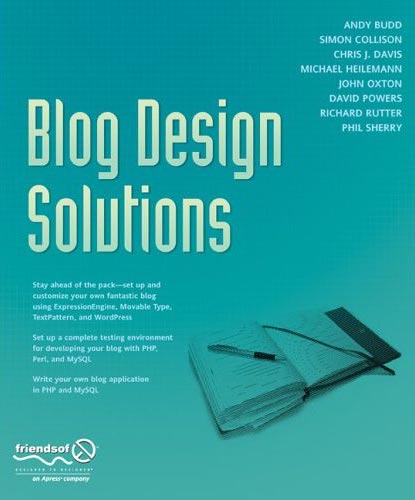
Blog Design Solutions - Andy Budd et al, Friends of ED
Great advice for customising your blog. Not just in terms of look and feel, but also advice on hosting your own blog, setting up testing environments, databases etc. I hope to give this blog a "lick of paint" in the near future!

I've also recently finished Dan Cederholm's excellent book:
Bulletproof Web Design - Dan Cederholm, New Riders
This one is a must-read for anybody seriously contemplating standards-based web design. Dan takes common table-based solutions (which can still be seen in the wild), explains why they are not bulletproof, and then reworks the solution in a standards-based way. I was very impressed with the session he did for @media in June, and this takes things even further. A great reference for bulletproof techniques.

Friday, August 11, 2006

.Net Magazine Makeover

Have you read .Net magazine recently?

I've never been an avid reader, but I was browsing Andy Budd's website the other day, and a blog post about .Net mag caught my eye, which made me go and search it out at Smith's on my way home from work.

It is indeed a very good read, and I'll give you a short summary of the best bits, if you like:

Interview with Joshua Schachter, founder of del.icio.us
Articles on blogging for businesses, how the royalnavy.mod.uk website was given a makeover, including accessibility considerations and a showcase on the best in current web design.
Makeover Suggestions for gardenaction.co.uk to make it more user focussed
Tutorials, lots of tutorials, and certainly not all aimed at the "hobbyist", including:

  • Simple liquid layouts using CSS
  • Giving your photos the Lomo treatment with Photoshop
  • Easy Google Maps programming with AJAX
  • Securing your PHP eCommerce scripts
  • Generating SVG graphics with Inkscape (open source app available from the CD with the mag)
  • How to make great-looking pull quotes with CSS

The usual news, reviews, expert opinion and letters pages.
A fun bit at the end, the /trash section, which included a link to the ridiculous website, catsthatlooklikehitler.com

At £5.99 per issue, you might think it's a bit steep. But if you subscribe by direct debit, apparently you only pay £11.79 every three months. Now that's tempting...

Friday, August 04, 2006

A Little Light Reading

If you're thinking of dipping your toes into the standards compliance/css development pond (come on in, the water's fine!), and you aren't able to afford some of the swanky courses available out there, a good alternative is to read some books by well-respected practitioners in the field, at least to get you started.

Here's a small selection which I've read recently, and have found to be extremely useful. I'll try to add to the list on an ongoing basis, so you might like to come back and check it again later.

I no particular order (other than the order I've read them in!):


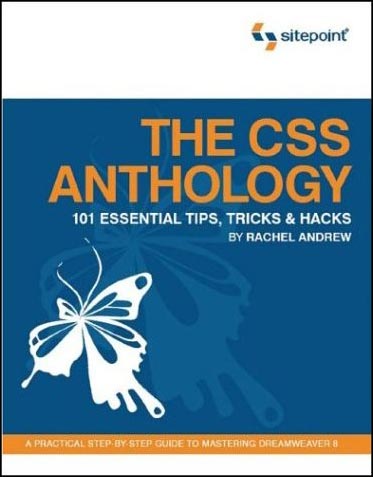
  • The CSS Anthology
    - Rachel Andrew, pub Sitepoint
    Excellent all-round introduction to using stylesheets for layout and positioning, with practical real-world examples. Good for people relatively new to CSS - I knew how to change fonts etc but was pretty green regarding CSS for layout until I'd read this and digested it thorougly.

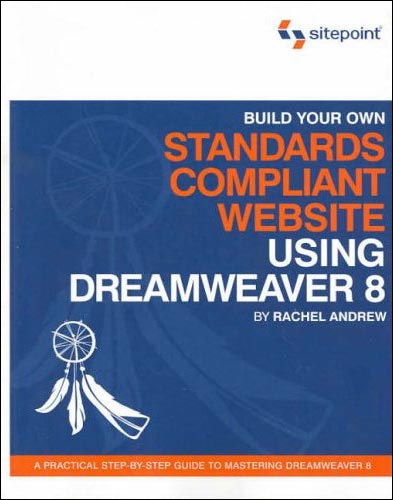
  • Build Your Own Standards Compliant Website Using Dreamweaver 8 - Rachel Andrew, Sitepoint
    Invaluable for pointers on getting the most out of Dreamweaver 8 and making sure your code validates nicely, is properly semantic and doesn't suffer from coad bloat. Good chapter on layout of forms without tables.

  • Dreamweaver 8 Unleashed - Zak Ruvalcaba, SAMS
    A big, thick wedge of a book (I've actually read most of it but not quite all yet). Excellent advice on using Dreamweaver for dynamic projects. Gives code and method examples for ASP, ASP.NET and PHP server models, which is great as some books limit themselves to one flavour. I currently do most of my dynamic projects with ASP.NET, but in future I'll be getting to grips with some PHP too, so it's great not to have to buy another book right from the start.

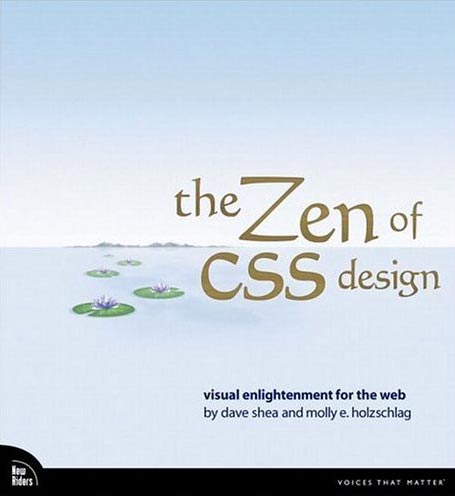
  • The Zen of CSS Design
    - Dave Shea & Molly E. Holzschlag, New Riders
    The book of the website. Dave and Molly take a few of the excellent examples from the CSS Zen Garden site, and deconstruct them, with explanations about each technique explained along with copious screenshots (full colour). Yes, you can look at the site directly and try and work out what the stylesheets are doing, but that's pretty hard if you are a novice, and these succinct explanations are a great help in developing your understanding of how to apply the theory to real-world examples.

  • DOM Scripting (Web Design with JavaScript and the Document Object Model) - Jeremy Keith, Friends of ED
    A great introduction to the scary world of JavaScript for anyone who is thinking about delving into unobtrusive JavaScript which can add progressive enhancements to your site, whilst degrading gracefully if a browser does not support JavaScript (or has it turned off).

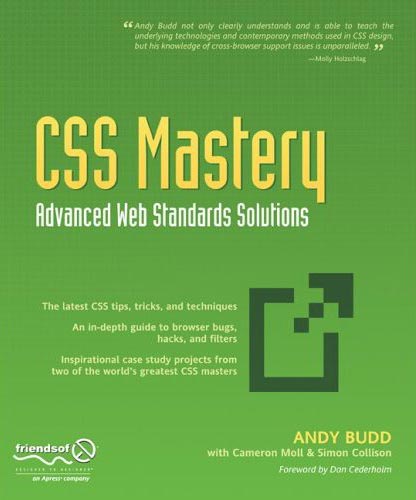
  • CSS Mastery, Advanced Web Standards Solutions - Andy Budd, Friends of ED
    Definitely not for beginners, but takes the examples and techniques to the next level for people who have some experience with coding standards-compliant (X)HTML/CSS. Two chapters at the end, written by Cameron Moll and Simon Collison, bring together lots of the techniques described earlier in the design of two case studies.
That's it for now, although I have a big fat PHP book sitting on the pile to read. I'll add more when I've had time to digest that.

Saturday, July 15, 2006

WSG London #1

The first London meeting of the Web Standards Group took place last night in North London, and was well very well attended with 190 people turning up to hear speakers Andy Budd on Who Cares About Standards? and Christian Heilmann speaking about Maintainable JavaScript.

Christian was very animated and went quite quickly, and since JavaScript is not really my forte, unfortunately I found it was easier to just listen than trying to scribble notes as well. His slides are available via his blog. But I was able to take notes during Andy's talk, a precis of which appears below.

Who Cares About Web Standards?
This was the rather controversial opening salvo from Andy! He began by giving us a brief history of standards - not just web, but standards in general. From one of the earliest in 1120 when King Henry I defined the L unit of measure (the length of his arm!) through the inventions of the wooden screw by the Romans, and the subsequent standardisation of screws and other machined parts by Sir Joseph Whitworth in 1841, when the Industrial Revolution was in full flow.

Whitworth was in charge of Babbage's Works where the first mechanical computer, the Difference Engine, was made. By 1860, Whitworth's screws had become the de faco standard, certainly in the UK. Meanwhile in the US, William Sellers proposed a different standard (sounds familiar?!) to help build the railroads. This was all fine until towards the end of the second World War, when the US was supplying England with a lot of spares for machinery and the war effort - and they were having to make two version of everything. Eventually the UK capitulated and the US standard became the very first official standard for anything. Now there are over 800,000.

Why bother?
When implemented, standards should:

  • Ease communications and inter-operability. Buy a new DVD player and plug it into your TV and it should work.
  • Make life easier. You can buy a toaster safe in the knowledge that its plug will fit the sockets in your walls.
  • Be a measure of quality, or level of expertise, a mark of professionalism.
  • Ensure safety and durability.
There are different types of "standard" - Official, de facto, (non regulated but ubiquitous), open, proprietory. When standards work well, you tend not to think about them.

What's this got to do with the web?
During the Browser Wars, the languages such as HTML and CSS were produced and expanded by the browser manufacturers. By pushing their own "standards" they set out to monopolise. When the W3C came together and put together language recommendations (they are still not standards!), and developers put pressure on the browser manufacturers to support them coherently. All modern browsers support the W3C recommendations - some just do it better than others! The term "web standards" was coined by Jeffrey Zeldman and the WaSP project.

The Philosophy Behind "Web Standards"
The aim is to separate content from presentation and behaviour, using (X)HTML, CSS and JavaScript in the appropriate fashion to produce quality code and semantically correct documents.

Benefits
  • Communication - easier to hand over to other developers (or come back to yourself in six months' time)
  • Inter-operability - more accessible, forwards-compatible, multiple device support for phones, PDAs, text readers, microformats etc
  • Make life easier - code can be more easily maintained
  • Safety & durability - code less likely to "break" and should last longer
  • Guarantees a level of expertise - proves you are resonably proficient as a developer and should help eradicate the FrontPage Cowboys ;-)
  • Mark of professionalism - you will stand out from the crowd
Things Aren't Perfect
Standards-complient pages not necessarily load up faster - the number of packet (file) requests can slow things up, so if you have 2 or 3 CSS files associated with a page, there can be a bigger "up front" hit on speed when a visitor first comes to your site, although subsequent pages may well be quicker to load. There is the benefit of less code bloat without all those <table> and <font> tags though.

Huge CSS files can be very difficult to maintain, especially when the full consequences of the cascade are taken into account. Presentation is still tied to content (to a much lesser extent) as the CSS/layout you choose is often influenced by the code order of the document itself. It's much better than it was.

Full CSS Layout is less than ideal at times. Floats are really a buggy hack, but it's the best we've got. Browser implementations for things like <fieldset> and <legend> are still inconsistant (handles padding and margin differently). Advances in XHTML and CSS are beginning to stall. When is CSS3 due? XHTML isn't great for marking up applications as opposed to static documents, or for microformats.

Are standards becoming irrelevent?
Almost reached a tipping point where "everyone" is doing it - so why should we keep going on about it? Development using the standards should be a no-brainer - why do it any other way? Besides, most clients don't care as long as the job gets done, so just do it that way and don't go overboard in advertising the fact. A couple of lines in your proposal documentation (to the effect that "we will use the appropriate web standards" is sufficient).

What now?
The focus needs to change more towards:
  • Accessibility/Useability
  • User Experience
  • Design
  • Branding
  • Client and user goals
Andy's slides can be downloaded from his website.

Geeky Prize Comeptition!
To tie in with Andy's fixation with screws, here's a little bit of fun...
Despite the US standard for screws taking off after WWII, you can still find a ¼-Whitworth screw/thread in common usage today. I will award a pack of 4 hand-made greeting cards of your choice to the first person who can tell me where.

Oh lord, I've just spotted myself in the audience shots which Christian uploaded to Flickr.