Friday, September 08, 2006

d.construct, Web Services For Fun And Profit

A presentation by Paul Hammond & Simon Willison, of Yahoo!

Paul and Simon gave us a quick overview of the APIs and offerings available from Yahoo.

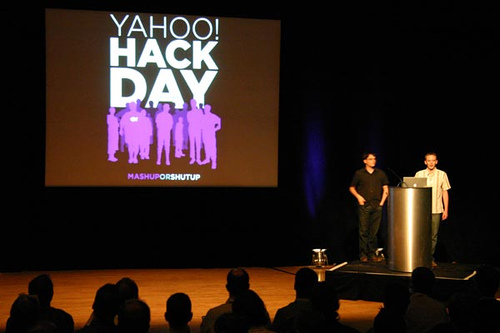
[Paul and Simon, a Hacking Double Act]

There were many examples of mashups given, some of which included:

Flickr + Yahoo Maps = geotagged photos

One of the most interesting aspects was Yahoo's Hack Day (Mash Up Or Shut Up), which is held about once a month. Dreamers, coders and hackers from all sorts of disciplines get together to prototype possible new products. There are only two rules, apparently:
  1. Build a prototype in a day
  2. Demonstrate to your colleagues
Basically, for internal and external projects, web services and APIs allow us to build new products faster, and helps innovation. Some products demo'd at a hack day have been in user testing in under a week! This just wouldn't be possible without published APIs.

The Yahoo Developer Network has loads of information for people wishing to utilise the APIs for:
  • Search
  • Spelling suggestions
  • Term extraction (generating tags from parsed text)
  • Output formats such as XML, serialised PHP, JSON
  • Flickr
  • Maps
etc.

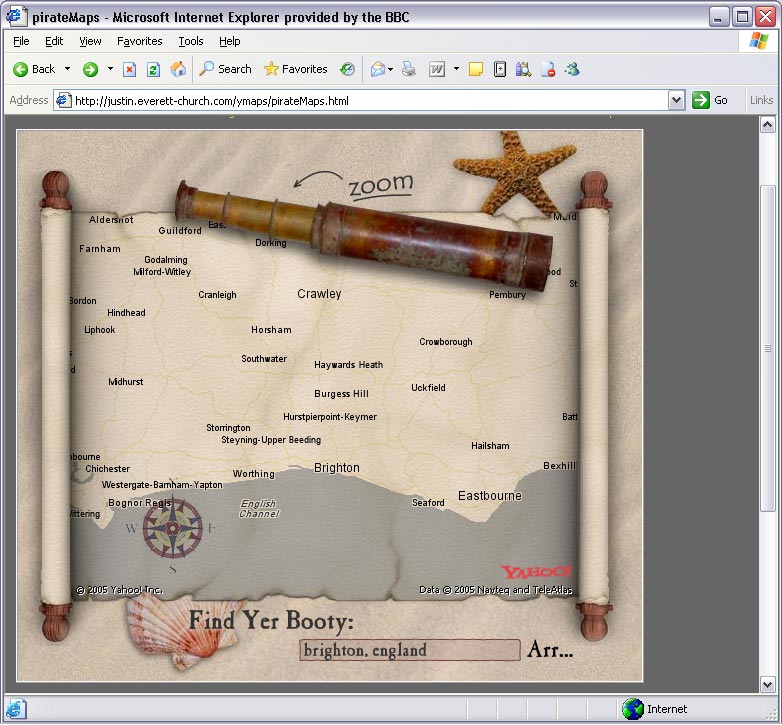
Letting your API out into the wild can lead to some very surprising results! How about fully-draggable Pirate map, courtesy of Justin Everett-Church.

[ Yarr! ]

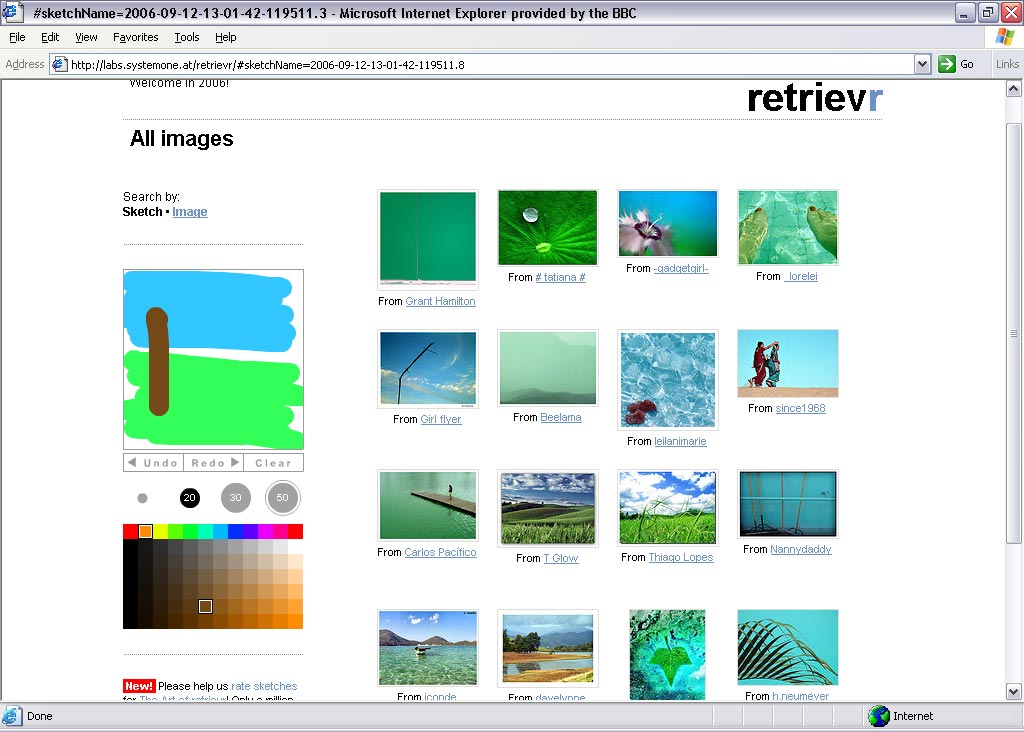
Or perhaps you need to find a picture from Flickr which matches your sketch - you need Retrievr

[Pimp up my sketch]

All the presentation slides are available at Paul Hammond's website.

d.construct, Web Services: Fuelling Innovation & Entrepreneurship

A presentation by Jeff Barr, "Web Services Evangelist" for Amazon.

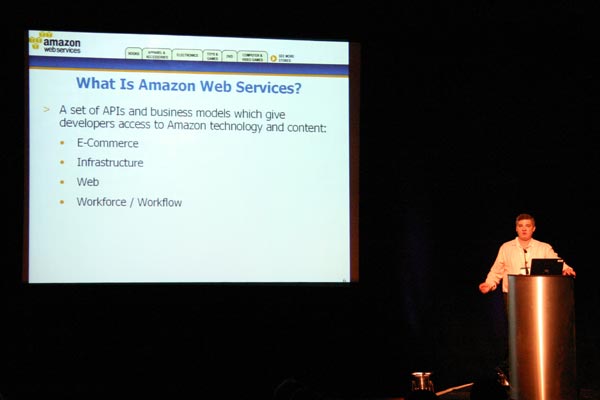
Jeff's presentation went into some depth about the range of web services available from Amazon. There's an enormous range, mainly concerned with:

  • E-Commerce (Amazon E-Commerce; Historical Pricing)
  • Infrastructure (Simple Queue Service (SQS); Simple Storage Service (S3); Elastic Compute Cloud)
  • Web (Alexa Web Information Service; Alexa Top Sites; Alexa Site Thumbnail; Alexa Web Search Platform)
  • Workforce/Workflow (Amazon Mechanical Turk)
[here's Jeff, doing his stuff]

Business Models

The AWS offerings have various business models. The free one is the basic Amazon eCommerce API. Some of the ones I found most exciting were where developers had taken the Amazon catalogue and presented the data in really original ways:

liveplasma is a search and "discovery" engine which relates music of similar types. It has a fab flashy-feel interface and is quite off the wall in design - but still eminently usable. Go and have a play!

[liveplasma's view of interconnectedness, for the Rolling Stones]

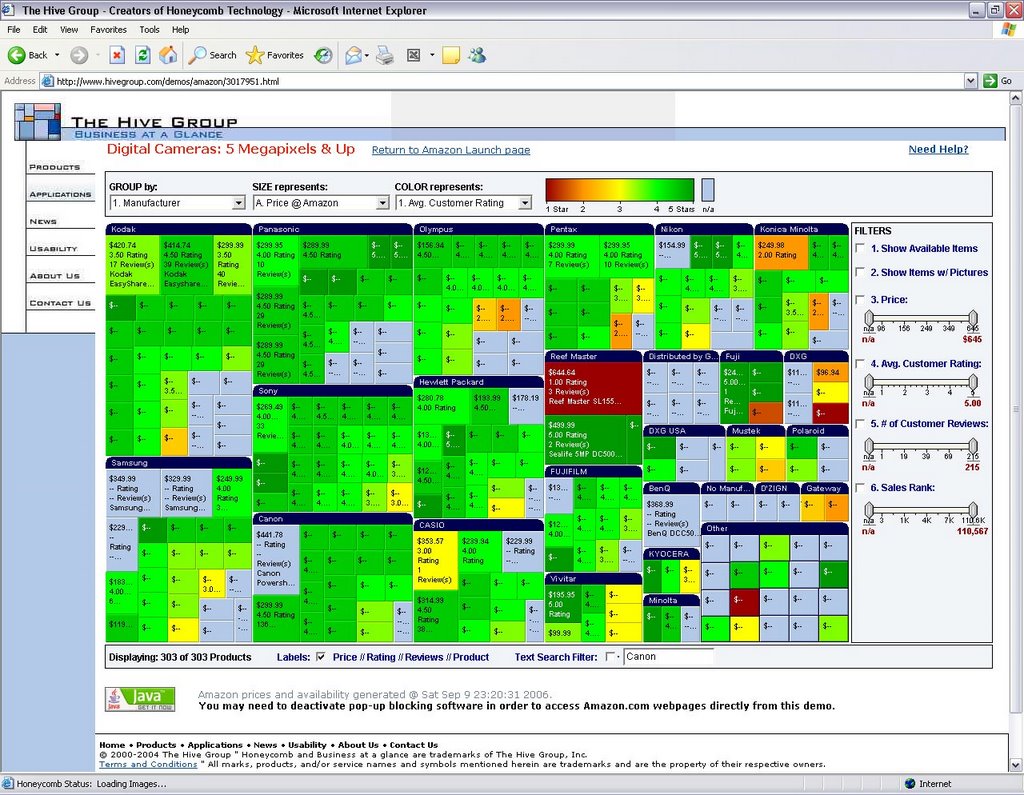
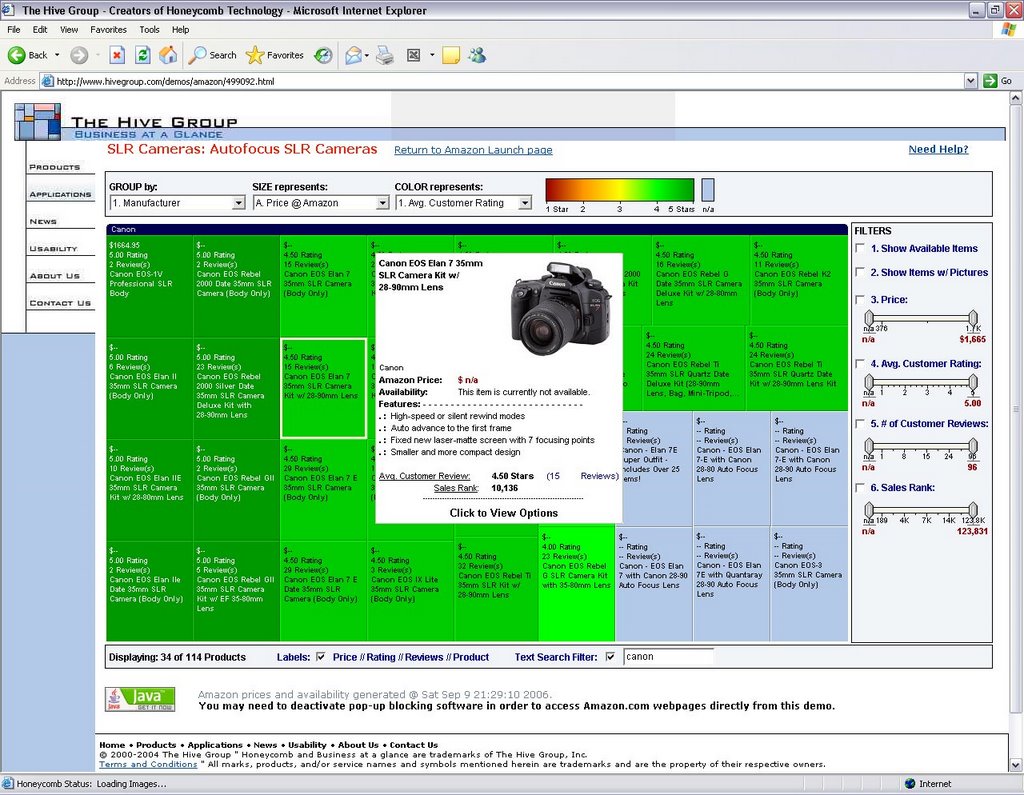
hivegroup help you filter the myriad of technology available out there in a very graphical and interactive way. Follow the steps at their website and you'll see what I mean. Here are a couple of screenshots:

[basic search for digital cameras brings back a colourful display, grouped by manufacturer. The text filter at the bottom can whittle things down further]

[mouse-over a product and a summary panel about the item pops up]

Fixed Monthly Fee service was the Historical Pricing (Amazon Marketplace sellers can find this useful for realistic pricing of their goods for sale).

Usage/Resource-based pricing is used for the resource-heavy services such as S3, Simple Queue Service, Amazon Mechanical Turk.

Mechanical Turk

Mechanical What? It's basically a web service API for computers to integrate "artificial artificial intelligence" directly into their processing by making requests of humans. It generates a HIT - Human Intelligencd Task. The worker gets paid per task completed; you get the data you require. Such as - does the photograph I show you contain a human being? Most people would be able to say yay or nay in under a second - but a machine would take much longer and probably not always arrive at an answer.

Mechanical Sheep

So, OK, you have access to this service. What should you use it for? Well one guy asked people to draw a sheep, facing left. Why? Why not?! He collected 10,000 sheep at a rate of just over 11 per hour. You can see them all
at The Sheep Market. Here's a screenshot of my favourite woollyback:

[baaaaaaa! Sheep #10,000 is a black sheep, of course]

There are some thoughts on d.Construct's first presentation. I'll add some more soon.

Thursday, September 07, 2006

d.construct Pre-meet

I hate getting up early in the morning, so the thought of getting to Victoria (probably a 1½ hour journey for me) for 7:30am to be sure to be in Brighton by 9am tomorrow just wasn't on the cards.

So I decided to come to Brighton straight after work on the train, and consequently I was at the d.Construct pre-meet party by 8pm.

It was nice to meet a few folks beforehand, and socialise before tomorrow's conference. There was plenty of non-work non-geek chat to be had, as well as the usual "what do you do" sort of conversation, it just depended who you talked to.

I had a few glasses of wine, and a small group of us who'd been chatting most of the evening headed back to our respective hotels around 11pm - we all felt we needed our Beauty Sleep before tomorrow's conference - and there's another post-con event tomorrow evening where we can indulge in a few more beers as neccesary :-)


Saturday, August 26, 2006

Non-Designers' Tips

The lastest issue of .Net magazine (#154) has an article by Andy Rutledge, in which complains that not enough is done to inspire good design in people who do not come from a design background. And I agree with him.

Ever since the advent of HTML, anyone with a bit of a techie background has been able to put together a home page of their own and let it loose on the web.

In my time, I've stumbled across some truely shocking examples of bad design. I'm sure you know the sort of thing - fonts all sizes and clashing colours, forty different typfaces in use; nothing lines up; everything screams at you, and basically you can't be bothered to see the wood (good content) for the trees (hideous design). Recently, I found the XOXO blog, and I'm afraid it's assault on my eyeballs prevented me from actually reading the blog to see if there was any useful information there. I just felt ill. [Sorry guys if you read this via trackback, but I'm afraid it's not just a matter of personal taste, there are also usability/accessibility issues which have been resolutely ignored :-( ]

My background is geeky rather than arty (my degree was Electronic Engineering; the only thing we ever "designed" was the odd circuit board layout!). So aside from my latent arty tendencies with my photography, how did I pick up the basics of good design?

When I first started web design (with lovely Notepad) back in 1996, I made all the mistakes a novice can. There are some nasty memories lurking out there in the WayBack Machine! But I later found two books by Robin Williams very useful (no, not that Robin Williams, this one is a woman!). They are:

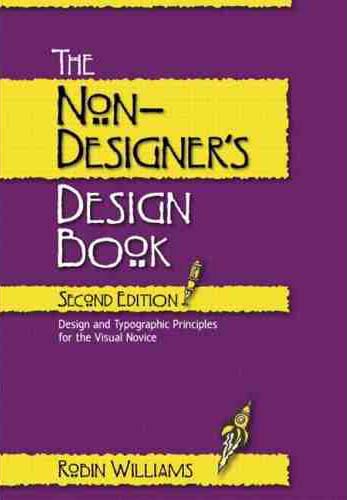
The Non-Designers' Design Book - Robin Williams, Peachpit Press
Giving the basic principles of good design, layout, use of space, etc. Robin remembers the four major elements of design by a handy little acronym, I'm sure you'll be able to work out what it is:

  • Contrast
  • Repetition
  • Alignment
  • Proximity
Her book is anything but! It exapans on each of these elements as you go through each chapter. The second is:

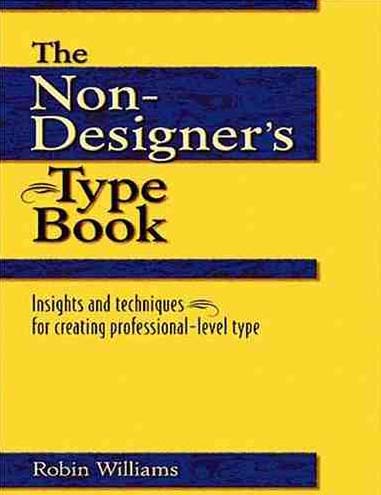
The Non-Designers' Type Book - Robin Williams, Peachpit Press
Which shows you the right and wrong ways to go about using typography in your designs.

Both books are primarily aimed at design for print, and although print and web are quite different in some ways, the principles still hold true for the design of a web page.

If you're just starting out (or would like to learn about some of the formal grammar of design), you might well find these helpful.

Friday, August 25, 2006

Why Not Tag Along Too?

I've been quiet on the blogging front lately, just rather busy to keep up!

Today I was sent an invitation to the d.Construct2006 Backnetwork, which is a great site for attendees of the upcoming d.Construct event in Brighton on 8th September. If you're not already signed up, I'm afraid you will have to wait until next time, as they are full. But the Backnetwork site provides an excellent place for attendees to "meet", chat, review etc. All the better if you forget to give someone your business card at the event; if you know their name, you can go look them up on the site afterwards.

I will post more on the actual event once it happens. But as I was browsing the Backnetwork site, I stumbled across references to XFN - short for XHTML Friends Network. It's a great way of adding extra meaning to links in your blogroll, for instance, which tell others who are reading, about your relationship with the person concerned. It's dead easy to implement (read the four easy steps showing you how to go about it). In it's simplest form, you just add an extra rel="met" tag to any links for people you have actually met in person. So if I had met the ficticious Joe Bloggs and wanted to add his blog to my blogroll, I would use:

<a href="http://joebloggs.com/blog" rel="met">Joe's Blog</a>.

If he was also a friend, I would add rel="friend met". There are a few other options, (which you can read about in more detail here), but it's pretty simple to remember, and will add a human dimension to ordinary links.

So I thought I would XFN my blogroll so you can see who's who. Why not tag along and make your blogroll XFN-friendly too?

Friday, August 11, 2006

.Net Magazine Makeover

Have you read .Net magazine recently?

I've never been an avid reader, but I was browsing Andy Budd's website the other day, and a blog post about .Net mag caught my eye, which made me go and search it out at Smith's on my way home from work.

It is indeed a very good read, and I'll give you a short summary of the best bits, if you like:

Interview with Joshua Schachter, founder of del.icio.us
Articles on blogging for businesses, how the royalnavy.mod.uk website was given a makeover, including accessibility considerations and a showcase on the best in current web design.
Makeover Suggestions for gardenaction.co.uk to make it more user focussed
Tutorials, lots of tutorials, and certainly not all aimed at the "hobbyist", including:

  • Simple liquid layouts using CSS
  • Giving your photos the Lomo treatment with Photoshop
  • Easy Google Maps programming with AJAX
  • Securing your PHP eCommerce scripts
  • Generating SVG graphics with Inkscape (open source app available from the CD with the mag)
  • How to make great-looking pull quotes with CSS

The usual news, reviews, expert opinion and letters pages.
A fun bit at the end, the /trash section, which included a link to the ridiculous website, catsthatlooklikehitler.com

At £5.99 per issue, you might think it's a bit steep. But if you subscribe by direct debit, apparently you only pay £11.79 every three months. Now that's tempting...

Thursday, August 10, 2006

Geeks Galore

Three events coming up in the near future, which readers might find interesting. I'll probably be at a couple of them.

London Geek Picnic
When: Saturday, 26th August @ 15:00 - 22:00ish
Where: Hyde Park, London
More details from: London Geek Dinner blog

London Geek Dinner with Ben Metcalf
When: Friday, 1st September @ 18:30 - 23:00 ish
Where:
The Bottlescrue, 53 - 60 Holburn Viaduct, London, EC1A 2FD
More details from:
London Geek Dinner blog

Blogger/Web2.0 Mixer Redux (No.2)
When:
Monday, 11th September @ 19:30 - 23:00ish
Where:
All Bar One, 36-38 Dean Street, London W1D 4PS
More details from:
Roger Kondrat's Technological Winter blog.

Friday, August 04, 2006

A Little Light Reading

If you're thinking of dipping your toes into the standards compliance/css development pond (come on in, the water's fine!), and you aren't able to afford some of the swanky courses available out there, a good alternative is to read some books by well-respected practitioners in the field, at least to get you started.

Here's a small selection which I've read recently, and have found to be extremely useful. I'll try to add to the list on an ongoing basis, so you might like to come back and check it again later.

I no particular order (other than the order I've read them in!):


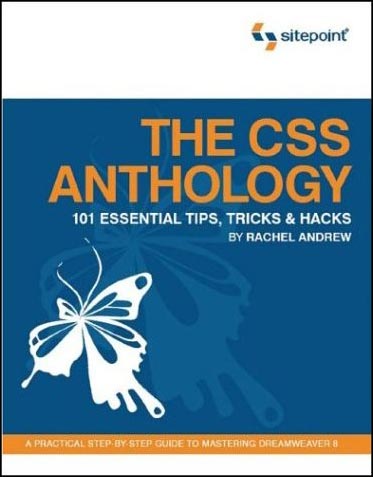
  • The CSS Anthology
    - Rachel Andrew, pub Sitepoint
    Excellent all-round introduction to using stylesheets for layout and positioning, with practical real-world examples. Good for people relatively new to CSS - I knew how to change fonts etc but was pretty green regarding CSS for layout until I'd read this and digested it thorougly.

  • Build Your Own Standards Compliant Website Using Dreamweaver 8 - Rachel Andrew, Sitepoint
    Invaluable for pointers on getting the most out of Dreamweaver 8 and making sure your code validates nicely, is properly semantic and doesn't suffer from coad bloat. Good chapter on layout of forms without tables.

  • Dreamweaver 8 Unleashed - Zak Ruvalcaba, SAMS
    A big, thick wedge of a book (I've actually read most of it but not quite all yet). Excellent advice on using Dreamweaver for dynamic projects. Gives code and method examples for ASP, ASP.NET and PHP server models, which is great as some books limit themselves to one flavour. I currently do most of my dynamic projects with ASP.NET, but in future I'll be getting to grips with some PHP too, so it's great not to have to buy another book right from the start.

  • The Zen of CSS Design
    - Dave Shea & Molly E. Holzschlag, New Riders
    The book of the website. Dave and Molly take a few of the excellent examples from the CSS Zen Garden site, and deconstruct them, with explanations about each technique explained along with copious screenshots (full colour). Yes, you can look at the site directly and try and work out what the stylesheets are doing, but that's pretty hard if you are a novice, and these succinct explanations are a great help in developing your understanding of how to apply the theory to real-world examples.

  • DOM Scripting (Web Design with JavaScript and the Document Object Model) - Jeremy Keith, Friends of ED
    A great introduction to the scary world of JavaScript for anyone who is thinking about delving into unobtrusive JavaScript which can add progressive enhancements to your site, whilst degrading gracefully if a browser does not support JavaScript (or has it turned off).

  • CSS Mastery, Advanced Web Standards Solutions - Andy Budd, Friends of ED
    Definitely not for beginners, but takes the examples and techniques to the next level for people who have some experience with coding standards-compliant (X)HTML/CSS. Two chapters at the end, written by Cameron Moll and Simon Collison, bring together lots of the techniques described earlier in the design of two case studies.
That's it for now, although I have a big fat PHP book sitting on the pile to read. I'll add more when I've had time to digest that.

Monday, July 31, 2006

Gender Is Irrelevent

I'm a regular reader of Roger Kondrat's blog, Technological Winter. Today, he posted about a recent conference called BlogHer '06, organised by the BlogHer community - their website's byeline is apprently "Where the women bloggers are".

I was very interested in Roger's comment "Blogher was interesting for me.. ..I mean as someone that doesn’t think male or female, I just read what I read". And I think you've hit the nail on the head there, Roger. Why should the blogger's gender matter? I believe exactly the same. I read what I read and that's that. Sometimes you can't event tell the gender of the blogger, (it's one of the upsides of web anonymity, if you wish to be so). And I was wondering what makes a woman sign up for a blog precisely because it's hosted by/for women?

I've always worked in very male-dominated industries. My first job was a broadcast engineer for the BBC, where around 10% of the workforce was female. I never felt I was treated differently as a women, and certainly didn't find any prejudices in evidence. If you were good at your job, no one cared if you were a woman, you still got the respect you deserved. And I would never have wanted to be cut any breaks on the basis of my sex - don't get me started on "positive discrimination".

Now I'm still in a male-dominated profession - web design and development. At least, the design part is populated by quite a few more women, even if they aren't so much in evidence on the development side of things (at least, that's my experience). I reckon it's about 20% women where I currently work. But again, if you're any good, you could be a small, furry creature from Alpha Centauri and nobody would bat an eyelid.

Robert Scoble attended the conference, and his write-up suggests that perhaps women are using BlogHer because the tools are easier to pick up. But I have to ask, how hard is it to use Blogger, WordPress etc?

I have a very dear friend, who is a self-confessed technophobe. We've known each other since we were 11. At school, I was always the techie one, she the arty one. She majored in English & French Literature and went on to complete her PhD in that area, and now teaaches at one of the UK's top universities. She hates computers with a passion - only using them when she has to (for writing, that is probably rather more than she would like). Which is why, when I visited her a few months ago, I was absolutely astounded to learn she has a blog of her own, LitLove. And a very fine one it is too. In a few short weeks she has engaged in tremendous debates with other like-minded folk. And she has got to grips with the WordPress publishing system with great success. So obviously, it can't be that difficult to get a blog going, if you're passioiniate enough about your subject.

So what am I really trying to say here? Probably, that ultimately, it's all about the content of your blog that really matters. Not where it's hosted, or what gender you happen to be. Personally, I'd much rather infiltrate the "male domain" that is the mainstream blogsphere than find myself in what is little better than a female ghetto! I am glad I was educated in a co-ed environment, and never wanted to go to an all-girls school - they can get pretty catty at times ;-)

Friday, July 21, 2006

Atom Or RSS?

I'm thinking of providing XML feeds from my two photographic websites, cazphoto.co.uk and rugbypix.com. I have a clean sheet, and could either use the Atom standard or RSS. So which is best? Are there any significant differences? I've heard rumours that Atom is somehow "better" but RSS is more widespread. It's the old VHS vs Betamax chestnut rearing its head again! And I don't really want to be on the wrong end of the seesaw in the future.

I suppose I could take the line that, if it's good enough for the BBC, it's good enough for me, and go with RSS. Although plenty of sites such as Blogger provide their feeds as Atom.

Do any of you have a choice over which format you use? And if so, which one did you plump for and why? I'd be interested to hear your thoughts

Wednesday, July 19, 2006

SharePoint & Enjoy

No, not the slogan from the Marketing Division of Sirius Cybernetics Corp...

I was at a Microsoft SharePoint 2007 demo today. We were treated to lots of glossy PowerPoint slides and a stand-alone demo, but it all flashed by pretty quickly. The product seems to be very versatile with inifinite possibilities, but I think it will sink or swim depending on the amount of time given to proper configuration. Much business analysis would also need to be done to accurately guague what features are appropriate for your particular setup, and how best they may be implemented.

As an Enterprise Content Management system, it seems (at first look) quite comprehensive. It has native Web Content Management capabilities out of the box (my particular sphere of interest), as well as tons of other integration with the Office 2007 suite of apps.

Architecture
The system is held together by the Plaform Services which handles things such as workspace, security, topology and the site model. Around this links the six main functional sections:

  • Collaboration - enables wikis, blogs, calendars, tasks and other Outlook integration
  • Portal - the Enterprise Portal, tailored content for users and their MySites area
  • Search - scalable search with tabbed contextual results - such as data (documents), people, business.
  • Content Management - integrates the document and records management functions, retention policies, workflow etc
  • Business Forms - allows rich XML web forms to gather data for workflows etc
  • Business Intelligence - allowing server-based Excel analysis, reporting of KPIs, data visualisation etc
Technologies
The system runs ASP.NET 2.0 with SQL Server; MasterPages provide templates for content (in the portal itself or for web publishing); there are also database services (for interaction with other external databases), search services, and workflow services. Unlike the 2003 implementation, the 2007 release is fully customisable in terms of layout, branding etc.

Making It Look Nice
The overlayed CSS skins can be edited with the SharePointDesigner package. This is apparently an "upgrade" to FrontPage (which the Microsoft man admitted was "crap" - tell us something we don't know!). The CSS works in conjuction with the ASP.NET Master Pages. Content and presentation layers are fully separated, such that the XML services (Web Parts play a Big Part) are consumed by the ASP.NET Master Pages, which are then styled with the required CSS.

Content Types
Each content type can be configured at setup to require (or not) additional meta data to be saved with the file, by defining a document template. Out of the box, there are also a number of built-in behaviours associated with each content/document type (these were not elaborated on further).

Easy Peasy
Designing a customised web page within the portal is as easy as dragging and dropping the Web Parts onto a page - provided you have the correct permissions to do so. The system will also integrate with other document management systems such as Documentum. Offline integration with Outlook enables a user to take documents (or even whole websites) offline to work on (they can be checked out or just copied), then when they are back in connectivity with the server, they will be updated as appropriate. Last Saved Wins! (if the file was not checked out) Although, there is a facility in Word 2007 which will highlight the changes made between versions of a document to aid comparisons.

Accessibility
I asked how accessible the system was - and the reply was "it depends how you implement it". Microsoft nicely passing the buck to those looking after the system! Also, the more freedom you give to local editors of content (devloved content provision being the point of it all, really) potentially the more problems you may have with accessibility, if these editors do not know what's required.

Is Anyone There?
Presence is the term given to a system of icons (whether it be against a Word document or person in a search result) which let you know if the author/person is currently online, or out at a meeting (it interrogates their Outlook calendar) etc. Right-clicking the icon will get you access for initiating an IM conversation, or VoIP call (if you have the software installed), or looking at their MySpace page (personalised page which gives details of their interests, specialisms etc). Microsoft intranet users find this very helpful in communicating amongst themselves, without having to leave the SharePoint application to launch IM, for instance.

What now?
That was a whistle-stop tour of some features, from their standard demo. I will write more if I get involved in implementing an instance of SharePoint in the future (it's a distinct possibility).

Tuesday, July 18, 2006

D Is For DOM and d.Construct

Inspired by Christian Heilmann's presentation on DOM Scripting last week (he made JavaScript sound fun, for heavens' sake!), I thought I would try and get my head round the concept. I'm much more familiar with CSS and tend to cower in the corner at the thought of writing any Javascript. So I thought I would buy a book. Well, I actually went into Borders looking for a newbie's guide to PHP but came out with Jeremy Keith''s DOM Scripting: Web Design with JavaScript and the Document Object Model (Friends of ED). How did that happen?

Talking of Jeremy and his friends at Clear:left, I have bought my ticket for the 2006 d.Construct meeting in Brighton on 8th September. It promises to be a good event, and I thought I might make a weekend of it and see a bit of Brighton while I'm at it (or is that just so I can recover from the post-con hangover??).

Monday, July 17, 2006

Not So Plug-And-Play

I've taken photos at a couple of events with my new Motorola L6, which I thought would be great to put on the blog. Once was at the recent Geeks Dinner the second was at the WSG London meeting. But sadly, I'm being defeated by technology.

You see, I don't have any sort of picture messaging contract with my phone, so I can't email them to myself... BUT! the phone has a handy USB port, so I thought I'd get 'em off that way. Cue pain and suffering. The phone didn't come with any software (drivers or otherwise) and WindowsXP doesn't have any native drivers for the phone, although it recognises the make and model.

I thought I'd go straight to the horses' mouth and searched the Motorola website for downloadable drivers for the L6. Nothing. Nada. Nowt. Plenty of glossy brochureware (you're preaching to the converted, I already have one!) but nothing useful. A google or two later turned up quite a few disgruntled users also looking for the driver and posting their frustration on forums far and wide.

So the search continues. If and when I find the driver, I'll upload the photos (they weren't that exciting, so don't hold your breath in anticipation). Until then, you'll have to do with the text and make up your own cartoons to go with it :-)

Saturday, July 15, 2006

WSG London #1

The first London meeting of the Web Standards Group took place last night in North London, and was well very well attended with 190 people turning up to hear speakers Andy Budd on Who Cares About Standards? and Christian Heilmann speaking about Maintainable JavaScript.

Christian was very animated and went quite quickly, and since JavaScript is not really my forte, unfortunately I found it was easier to just listen than trying to scribble notes as well. His slides are available via his blog. But I was able to take notes during Andy's talk, a precis of which appears below.

Who Cares About Web Standards?
This was the rather controversial opening salvo from Andy! He began by giving us a brief history of standards - not just web, but standards in general. From one of the earliest in 1120 when King Henry I defined the L unit of measure (the length of his arm!) through the inventions of the wooden screw by the Romans, and the subsequent standardisation of screws and other machined parts by Sir Joseph Whitworth in 1841, when the Industrial Revolution was in full flow.

Whitworth was in charge of Babbage's Works where the first mechanical computer, the Difference Engine, was made. By 1860, Whitworth's screws had become the de faco standard, certainly in the UK. Meanwhile in the US, William Sellers proposed a different standard (sounds familiar?!) to help build the railroads. This was all fine until towards the end of the second World War, when the US was supplying England with a lot of spares for machinery and the war effort - and they were having to make two version of everything. Eventually the UK capitulated and the US standard became the very first official standard for anything. Now there are over 800,000.

Why bother?
When implemented, standards should:

  • Ease communications and inter-operability. Buy a new DVD player and plug it into your TV and it should work.
  • Make life easier. You can buy a toaster safe in the knowledge that its plug will fit the sockets in your walls.
  • Be a measure of quality, or level of expertise, a mark of professionalism.
  • Ensure safety and durability.
There are different types of "standard" - Official, de facto, (non regulated but ubiquitous), open, proprietory. When standards work well, you tend not to think about them.

What's this got to do with the web?
During the Browser Wars, the languages such as HTML and CSS were produced and expanded by the browser manufacturers. By pushing their own "standards" they set out to monopolise. When the W3C came together and put together language recommendations (they are still not standards!), and developers put pressure on the browser manufacturers to support them coherently. All modern browsers support the W3C recommendations - some just do it better than others! The term "web standards" was coined by Jeffrey Zeldman and the WaSP project.

The Philosophy Behind "Web Standards"
The aim is to separate content from presentation and behaviour, using (X)HTML, CSS and JavaScript in the appropriate fashion to produce quality code and semantically correct documents.

Benefits
  • Communication - easier to hand over to other developers (or come back to yourself in six months' time)
  • Inter-operability - more accessible, forwards-compatible, multiple device support for phones, PDAs, text readers, microformats etc
  • Make life easier - code can be more easily maintained
  • Safety & durability - code less likely to "break" and should last longer
  • Guarantees a level of expertise - proves you are resonably proficient as a developer and should help eradicate the FrontPage Cowboys ;-)
  • Mark of professionalism - you will stand out from the crowd
Things Aren't Perfect
Standards-complient pages not necessarily load up faster - the number of packet (file) requests can slow things up, so if you have 2 or 3 CSS files associated with a page, there can be a bigger "up front" hit on speed when a visitor first comes to your site, although subsequent pages may well be quicker to load. There is the benefit of less code bloat without all those <table> and <font> tags though.

Huge CSS files can be very difficult to maintain, especially when the full consequences of the cascade are taken into account. Presentation is still tied to content (to a much lesser extent) as the CSS/layout you choose is often influenced by the code order of the document itself. It's much better than it was.

Full CSS Layout is less than ideal at times. Floats are really a buggy hack, but it's the best we've got. Browser implementations for things like <fieldset> and <legend> are still inconsistant (handles padding and margin differently). Advances in XHTML and CSS are beginning to stall. When is CSS3 due? XHTML isn't great for marking up applications as opposed to static documents, or for microformats.

Are standards becoming irrelevent?
Almost reached a tipping point where "everyone" is doing it - so why should we keep going on about it? Development using the standards should be a no-brainer - why do it any other way? Besides, most clients don't care as long as the job gets done, so just do it that way and don't go overboard in advertising the fact. A couple of lines in your proposal documentation (to the effect that "we will use the appropriate web standards" is sufficient).

What now?
The focus needs to change more towards:
  • Accessibility/Useability
  • User Experience
  • Design
  • Branding
  • Client and user goals
Andy's slides can be downloaded from his website.

Geeky Prize Comeptition!
To tie in with Andy's fixation with screws, here's a little bit of fun...
Despite the US standard for screws taking off after WWII, you can still find a ¼-Whitworth screw/thread in common usage today. I will award a pack of 4 hand-made greeting cards of your choice to the first person who can tell me where.

Oh lord, I've just spotted myself in the audience shots which Christian uploaded to Flickr.
Thursday, July 13, 2006

Going Solo

Several friends are currently in the process of throwing in the towel with corporate life and starting their own business or freelancing, and I've come across several useful articles recently which are relevent to the subject. Here are a few:

I'll add some more as and when I find them.

Tuesday, July 11, 2006

Man Versus Machine

I hope I didn't come across as arrogant in yesterday's post about how much difference a good piece of equipment can make. That wasn't my intention. But further reflection set me thinking that, in these days where consumers expect instant gratification from their purchases, I think it's sad that some people spend an awful lot of money on the best camera and are then disappointed with the pictures they take with it.

People seem far less willing to learn the art and craft of photography in order to get the best results. Of course I'm generalising here, but there has been a gradual decline in membership of photographic clubs throughout the country, even with the huge rise in the number of people buying cameras. I'm a B Panel Judge for the East Anglian Federation, part of the Photographic Alliance of Great Britain. I visit clubs around north London and south east Essex to judge competitions regularly, and their committees are constantly striving to attract new members. Somehow only a trickle seem to be coming through the doors.

A few clubs (and the number is decreasing) have actively shunned the Digital Revolution; it won't be long before they go under. Some have allowed digital but to be judged in a separate category (and I think, why segregate? It's the end result that counts and matters to me as a judge, not the technology used to produce it).

Some argue that digital is "easier" than traditional "wet" processes. Usually those who haven't tried it, I find. And as a judge, I've seen just as many badly-done digital prints (if not more) than traditional. In fact, I'd argue that it's actually easier to make a bad digital print than a bad darkroom one - far less effort is required. Plus, you don't end up smelling of chemicals or emerging from the darkroom like a confused mole! As ever, the skill is in the execution of what you're doing, not how.

The vast majority of the clubs I visit have embraced digital photography wholeheartedly (without prejudice to those still using film). So much so that at a few, I don't see any darkroom prints any more. I can tell, if I look hard enough (and it would require an even lenghtier post for me to explain how). I've seen some really stunning inkjet prints, not just from a technical perspective, but from an artistic one. Again, it's all about who's behind the camera more than the name badge on the front.

Our equipment can and should be used to facilitate the expression of our artistic talents, and not as a points-scoring exercise to see who's got the best kit. (Again, I usually find those misguided enough to indulge in this kind of behaviour are invariably those who can't take a decent picture for toffee).

Saturday, July 08, 2006

Geek Dinner

Last night's Geek Dinner was interesting, with a huge attendance of around 80 people. We started off in the back room of The Bottlescrue pub near Holborn, but there were soon so many of us we all decamped to the terrace outside to enjoy beer and banter whilst awaiting our speaker.

Our guest speaker, Chris Anderson, arrived a little later than planned due to transport problems, but began speaking around 8:30pm to an attentive audience eager to hear his take on The Long Tail theory of market forces. Here is a resume of my notes:

He began by commenting that Capital One credit card in the States was one of the first companies to embrace The Long Tail principle. Originally, they would offer low-rate credit cards to customers considered to be low risk, medium rates to medium risk people and no credit card to high-risk customers. Once they embraced the long-tail principal, they soon learned to slice the market into thinner slices - with a sliding scale of rates dependent on the customer's circumstances. Soon other credit card companies followed. Insurance is a similar market which has not really been tapped so far - partly because the greater risk customer is unwilling to pay the required premiums to acquire cover.

The key to Long Tail theory is that One Size Doesn't Fit All - scaling down is they key. In these days of easier supply chains, it's much easier to service the niche market as well as the "hits" end of popularity. The Bottom-Up pyramid model for marketing is different in that it advocates making one product so cheap that anyone can afford it, whereas the Long Tail is about selling fewer units of more things.

The natural shape of consumer demand is more niche-heavy than you would expect, if consumers can find what they are looking for (eBay and google are good examples of facilitating this). A question was put that "does Google have a monopoly and does it restrict the market for people finding niche products (especially with AdSense incorporated). Chris thought the answer was "no".

TV is one of the most expensive production costs/sales ratio of any product. In times past, a programme might only have been broadcast a couple of times, but now syndication of archive material is the Long Tail of the broadcast chain. Similarly, on-demand services are allowing consumers more choice in what they watch (niche programmes) and when. One example given was the ability to watch Cricket in the US over the internet - unheard of a few years ago.

The BBC is one of the leaders in the UK of making use of Long Tail principal. They have spent millions of pounds digitising archive material without knowing what the demand for it might be, but are now beginning to reap the rewards. Chris thinks is it worth looking to them for leadership and Best Practice in the area. Reuters and ITN are also jumping on the bandwagon for archive distribution. [As an aside, Mark Thompson, BBC Director-General gave two speeches in the Spring which are quite relevent to this debate, and he coined the phrase BBC2.0 in one, which seems appropriate. They were the RTS Baird Lecture given in March 06, and the RTS Fleming Memorial Lecture in April 06, both available to read from the BBC's Freedom of Information website].

A question was put that, in the light of the Media being propped up with Advertising via trusted brands (in TV, radio and in print), it's impossible to measure their effectiveness at present. How long does the current business model have before it collapses? Chris thought that, even though the advertising & media industry is very conservative, it could be a generation before this business model ceases to be operable.

The next question considered "what's in it for content producers". Chris highlighted the opportunities to distribute cult, low-budget films online, without having to have the marketing budgets of the big studios; this goes for music too. A band such as the Arctic Monkeys started distributing in the niche markets, then became a grass-roots hit, then might decay in popularity over time (shows the Long Tail can have precursors too).

Not only does the Long Tail prevail in terms of hits vs niche markets, it also prevails over time - in other words, today's hit can become tomorrow's niche.

Someone asked "where does the tail fall off" - well of course, with a power law, the answer is never. There will always be a market for the niches, no matter how small. Where the cutoff comes in terms of viability depends on your motivating factors - commercial reasons for a product are very different from consumers reasons - and you cannot always anticipate the "value" of something - it's not always measured in economic terms, sometimes things are done for reasons of expression, reputation etc. The Long Tail is perfect for these instances which would not necessarily be viable in purely economic terms.

The market for Hits and Niches co-exists, and in the long term that won't change. New Hits achieved via word-of-mouth can still be achieved. However, these bottom-up hits are likely to get bigger, while the conventional top-down hits get smaller.

Someone asked what the most interesting markets were currently applying the Long Tailed phenomenon. Chris cited the growing trend in the USA for Micro-brewed beer - now there are around 40 varieties of specialist beer where there used to be only 4 big players. He also mentioned The Pentagon investigating Long Tailed Warfare - but did not elaborate too much (maybe he would have had to kill us?)!

Friday, July 07, 2006

Thick Squared

Following on from my post on RugbyMad about how thick can you get (travel agents' feedback from customers), I see The Register is running a poll for readers to decide who handled the most stupid help-desk call. There are some crackers there, but I think my favourite has to be my rabbit's dead :-D

I'm till having aggro with Technorati, as posted yesterday.

Without me doing very much, recent posts on RugbyMad seem to be indexed (I've not tagged any posts on that blog yet) but further back than a couple of weeks and there's nothing found when searching. Meanwhile, the scoped search for this blog still seems to do five parts of naff all. Hopefully they will sort it soon.

On a more positive note, I'd like to thank Roger Kondrat for giving this blog a plug over at Technological Winter, and his help with aiding this relative blogging-newbie overcome the trials and tribulations of the technology :-)

Tonight I'm off to the London Geeks' Dinner to hear Chris Anderson speak on the The Long Tail as a sales model, which I hope will be interesting. I'll post my thoughts soon.

Thursday, July 06, 2006

Troubles With Technorati

I'm having some trouble with Technorati, and it seems I'm not the only one.

I claimed my blogs (this one, plus my Rugby Mad one), set the blogger settings to ping Technorati (as advised in their support faq) and have added Technorati tags to all posts in this blog (have yet to get around to it for the rugby one, but hey).

Now if I search for something on Technorati, (either directly at their site or with the plugin for this blog at the top right of the page), which I know is definitely here, it claims not to find anything! It also claims that my most up to date post was six days ago, when it fact it was just yesterday.

I've logged a call with Technorati's help people, who have acknowledged receipt, but so far I haven't heard anything else. I know I've only just started blogging, and so my ranking is pretty lowly, but I thought technorati would be an excellent place to generate some passing traffic and help to build up my online profile. I hope they are not operating some sort of elist policy along the lines of "well her ranking is down with the amoeba, so we don't need to keep her search as up to date as some"...

I'll keep you posted on developments.

Add half an hour later: Actually, it gets odder. Scoping a search at Technorati on Rugby Mad or Just Mad will turn up results for some things, such as "churchill" but not others, like "handbags" (which appears in this post and here). I'm even more confused now!

Saturday, July 01, 2006

Look Ma, No Hands!

I've had a fab geeky shopping session today wilst everyone else was going do-lally watching England play footie - the town was really empty and I got all my shopping done in record time, yay.

Having had my old crusty Sony-Ericsson phone for a couple of years now, some of the buttons were beginning to go home, so I upgrated to a Motorola L6 with Bluetooth headset thrown in for nowt (marvellous).

And I was also a bit rash and signed up for an O2 3G/GPRS mobile data card for my slaptop - so I'm now inter-web-connected wherever I can get a phone signal - yippee!

Its about time - I've been struggling along with Dialup (yes, 56Kb if I'm lucky) for a while now at home, and although I'm about to order TalkTalk's 3International package (free broadband for life), as recommended by the excellent BroadBandGenie, they reckon it will take nearly 2 months for the Broadband bit to get connected. Sigh.

So anyway, I'm very excited by my new toys (sad geek-girl that I am!), and this has been posted curtesy of O2 mobile. Expect more :-)